Present
Design Studies
ArtCenter College of Design
Coursework focused on interaction, spatial experience, emerging technology, and new relationships between people and designed systems.
A collection of small works

Mila.Liu
I’m Mila, a multidisciplinary designer with a background in landscape design and urban planning.
Present
ArtCenter College of Design
Coursework focused on interaction, spatial experience, emerging technology, and new relationships between people and designed systems.
Earlier
Design Foundation
Built a foundation in landscape systems, public space, environmental thinking, and design at an urban scale.
2026 — Present
The Donovan’s Venom · Volunteer
Designing child-friendly interface flows and administrative permission experiences for an online piano learning platform.
2026
Independent Projects
Developing AI-supported product experiences, physical computing prototypes, and responsive systems through research and rapid prototyping.
Earlier
Urban & Public Space Projects
Contributed to landscape and urban design work, including public-space planning and an urban riverside park redevelopment.

Mila Liu
Multidisciplinary Designer
I turn complex ideas into experiences people can understand and use. My background in landscape design and urban planning taught me to see every interface as part of a larger system.
I work across digital products, physical interaction, and spatial experience. Whether I’m shaping an AI-supported service or a responsive environment, I look for the clearest relationship between people, information, and action.
I care about the small details, but always in service of the whole. The goal is work that feels thoughtful, grounded, and natural to use—not complexity for its own sake.

Using a language model through Ollama, this demo translates natural language into physical movement to explore the emotion and force carried by words. Inspired by MIT’s inFORM, it first turns intent into an intermediate motion description, then sends that description to a group of servo motors to perform the action.

Beginning with twenty close-up bark photographs, this experiment translates grooves, cracks, knots, and layers into digital growth rules. Users adjust environmental parameters to explore how one surface archive can unfold into different three-dimensional growth trajectories.
XR SandBox
A tangible XR system that connects Unity with a 10×10 servo array, allowing digital terrain and physical form to respond to one another in real time. The project explores an accessible, low-cost interaction model for spatial simulation, education, and public exhibition.

LLM-driven interactive design
01 · Concept
SemaForm explores what happens when language stops being only something we read and begins to act upon the physical world. A sentence is interpreted as intention, translated into a motion score, and performed by a simple mechanical body. The demo treats movement as another layer of meaning—one that can carry hesitation, force, rhythm, and emotion beyond the literal words.

derived from the Greek root sēma, meaning sign or mark.

Workflow
A sentence enters through the Python bridge and is interpreted by the local SemaForm model as intent, emotion scores, gestures, and a reply. If an emotion is detected, the emotion engine translates intensity into size, arousal into speed, and the emotion into a gesture template. Otherwise, the model selects a direct gesture. Both paths pass through the same code rules and serial command layer before the Arduino Uno coordinates the four servo motors.
02 · System diagram
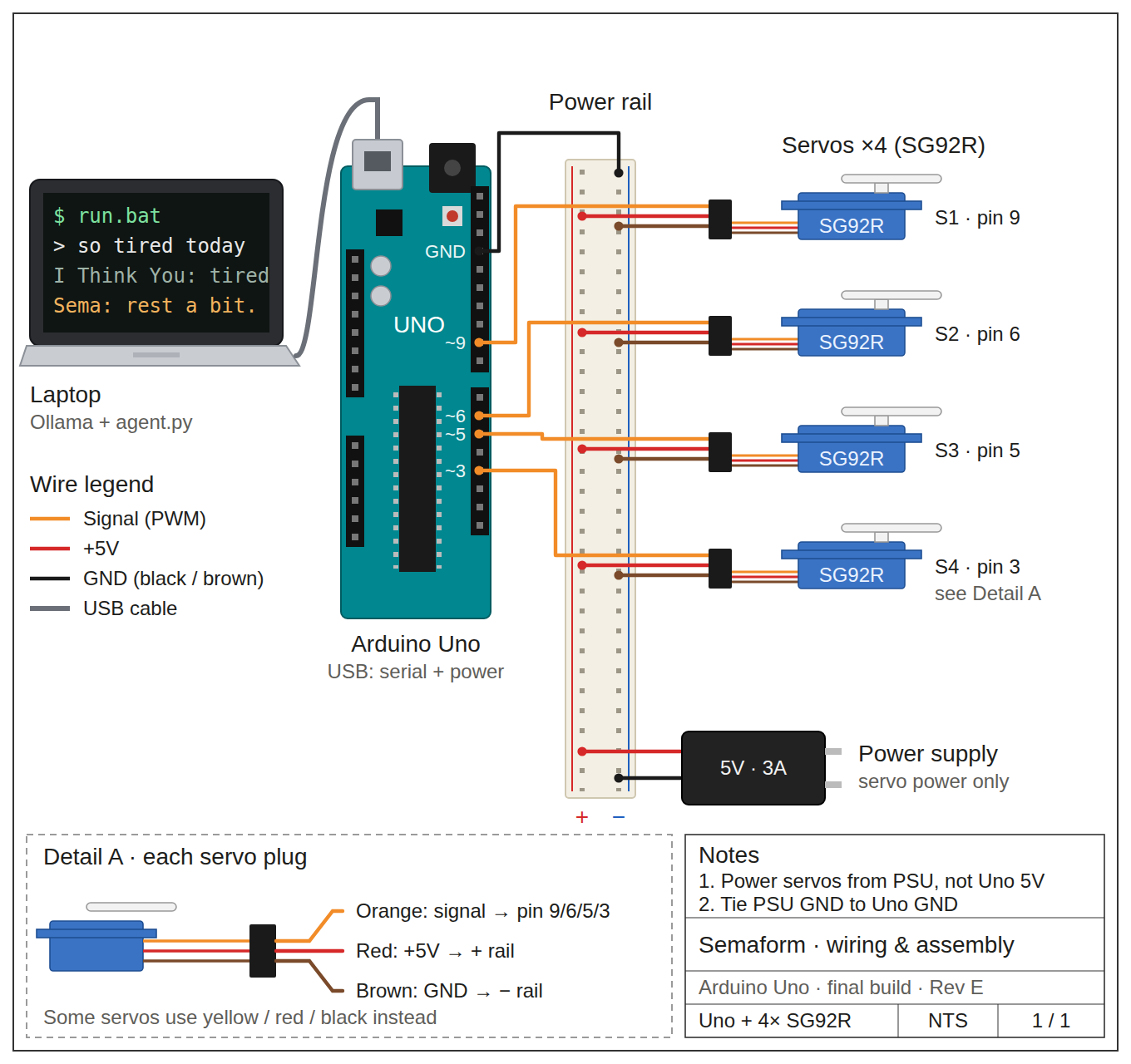
A local Ollama language model interprets a natural-language prompt and produces an intermediate motion description. That structured description is converted into timing and position values, sent through an Arduino Uno, and performed by four servo motors. Separating interpretation from execution makes the system legible, testable, and adaptable to different physical outputs.
The approach is informed by MIT Tangible Media Group’s inFORM, which demonstrated how digital information can be rendered through a shape-changing physical surface. SemaForm extends that question toward language: rather than reproducing a digital shape, it asks how an AI-interpreted intention might become an expressive physical behavior.
03 · Core code
The core loop asks the model for a constrained action plan instead of unrestricted prose. Each response must describe four servo positions, a duration, and an easing quality. The program validates those values, converts them into safe ranges, and streams the sequence to the Arduino Uno. This intermediate layer keeps the model interpretive while keeping the hardware predictable.
ollama.chat(model, messages, format=SCHEMA)Requests a structured JSON analysis from the local SemaForm model, turning the conversation into intent, emotion, gesture, and reply data.
json.loads() / json.dumps()Translates between model text and Python dictionaries so each motion plan can be validated, remembered, and logged.
re.search(pattern, text)Recognizes softeners and follow-up language such as “a little,” “bigger,” or “faster,” allowing a previous gesture to be adjusted.
max(lo, min(hi, value))Clamps model-generated values to safe physical ranges before they reach the servo motors.
serial.Serial("COM3", 115200, timeout=0.1)Opens the live serial connection between the Python agent and the Arduino Uno without blocking the conversation loop.
ser.write(command.encode()) / ser.readline()Sends a complete gesture command as bytes, then listens for the Uno’s OK or DONE response before continuing.
del history[:-6]Keeps the last three conversational turns, giving Sema enough short-term context without letting the prompt grow indefinitely.
Selected Python functions · Ollama + JSON + serial communication
04 · Hardware
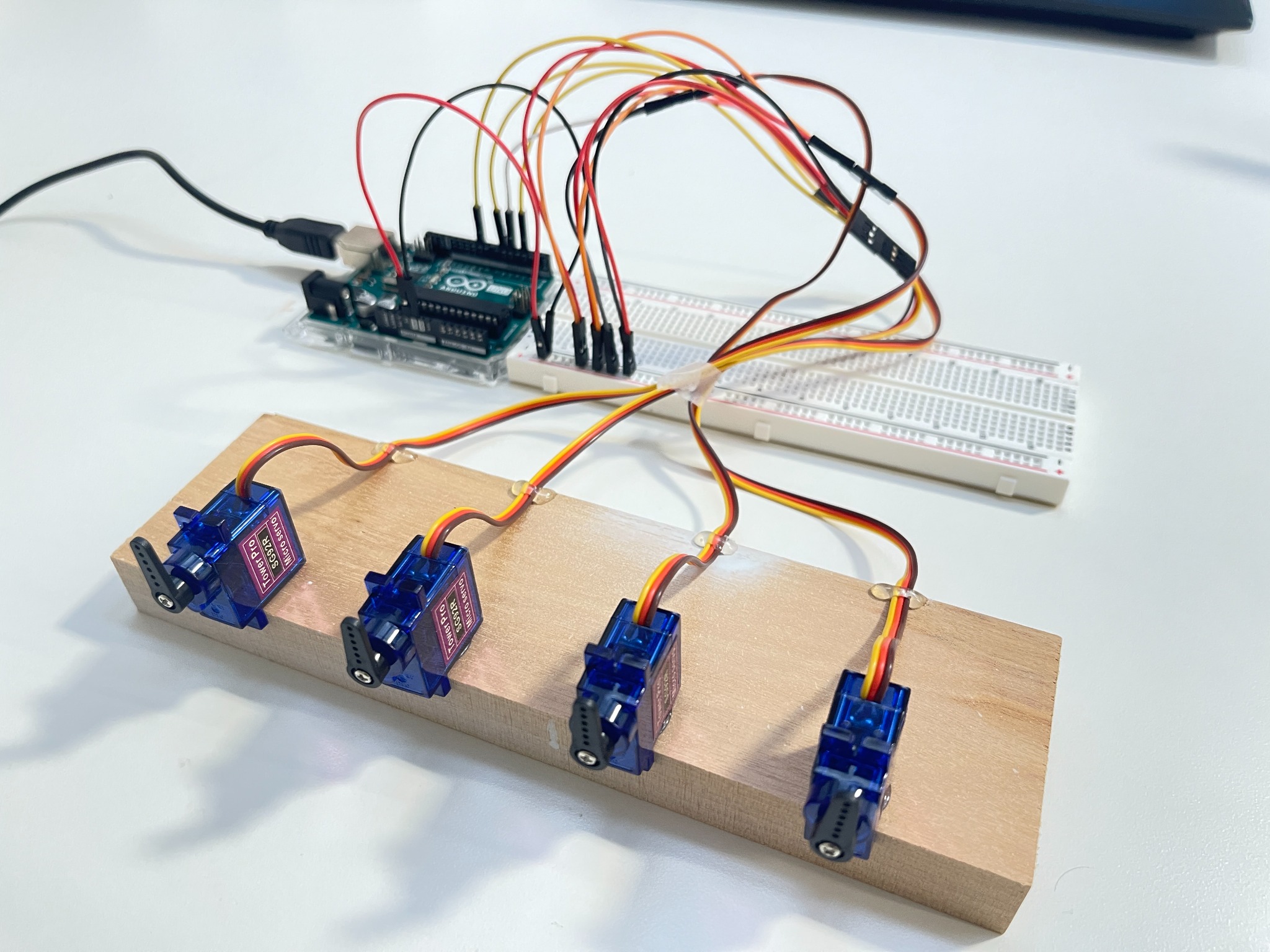
The current prototype uses an Arduino Uno, four SG92R servo motors, a shared power rail, and an independent 5V supply. The servos receive control signals from the Uno while drawing power separately, with all grounds tied together. This modest setup makes it possible to study expressive timing and coordination before committing to a final physical form.
Intelligence iteration
Sema’s intelligence was developed through three design iterations and three interviews. The design iterations expanded what it could recognize in language; the interviews used the same questionnaire each time to reveal misunderstandings, test revisions, and refine the Modelfile and emotion database.
Mapped simple words into recognizable categories and corresponding physical actions.
Built fifteen emotion modes after Sema could read a personal story but could not yet understand the emotion behind it.
Used different wording to describe the same event, testing whether Sema could understand meaning beyond individual keywords.
Claude interviewed Sema three times with the same questionnaire. Each response became evidence for revising the Modelfile and expanding the emotion database, creating a repeated cycle of testing, correction, and validation.
Baseline interview
Revision interview
Validation interview
Live conversation
Two paired conversations compare Sema before and after iteration. In each pair, the screen recording shows how Sema reads and replies to language, while the phone recording shows the servo movement produced at the same moment.
05 · Future form
Today, SemaForm exists as a set of exposed servos. The next stage is to give it a perceptible body: a screen that reveals how it interprets language, a physical volume that makes motion readable, and a tactile surface layer that can stretch, fold, or ripple. The goal is not to disguise the mechanism as a character, but to explore how an AI tool might develop a material presence of its own.




















Texture analysis
The analysis isolates visual relationships that can influence a growth grammar. A highlighted feature in the source image is paired with its corresponding segment on the digital tree, making the translation from evidence to form visible rather than hiding it inside the system.
Selected product, spatial, and environmental design projects.
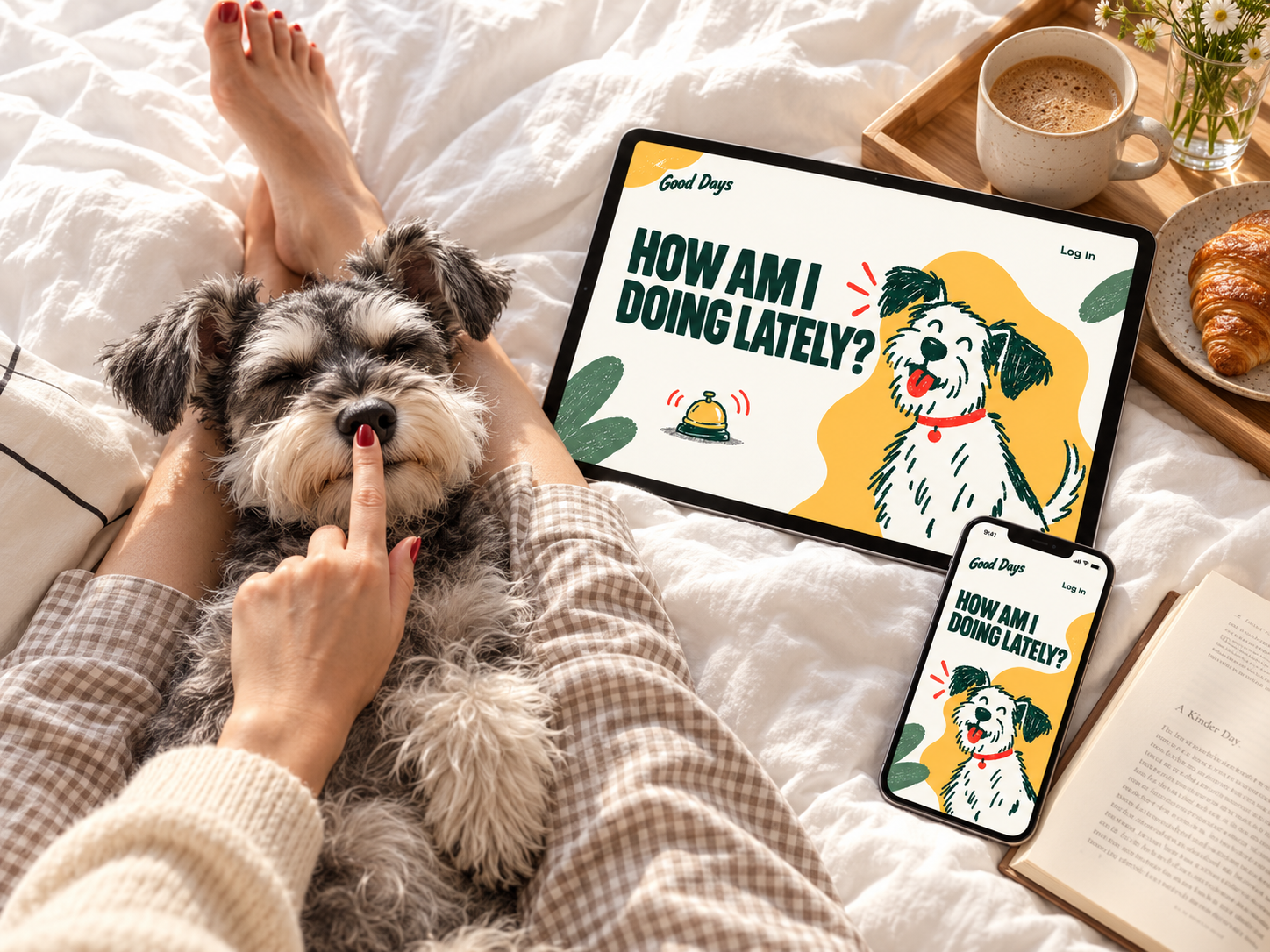
A long-term health companion designed for urban dog families.
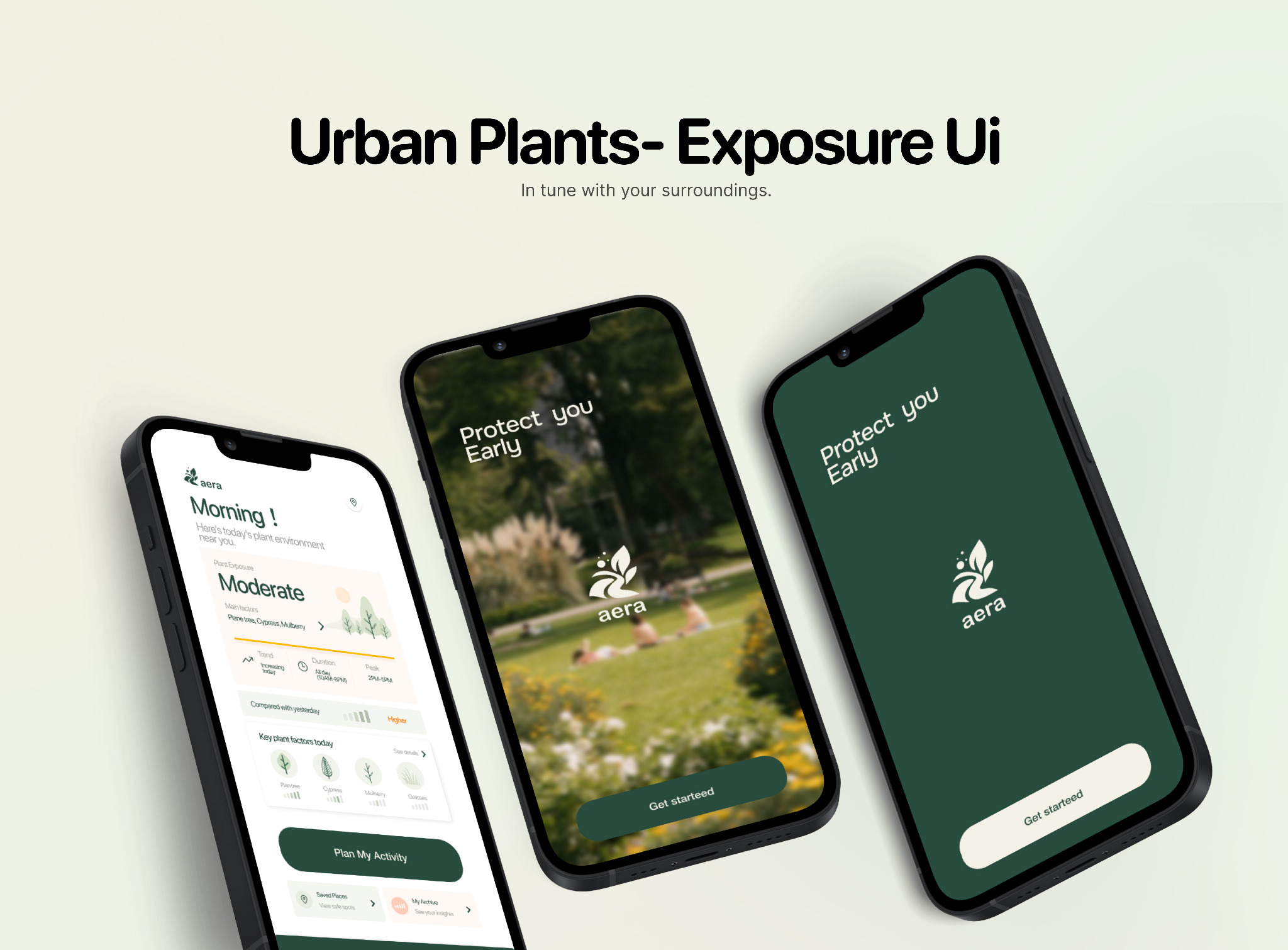
A context-aware platform that helps sensitive urban residents understand and respond to plant-related environmental exposure.

03 · XR / tangible interaction
A real-time terrain system connecting Unity to a physical servo array.
A learning experience designed to support musical growth across different ages.
↗Scroll to explore →
More good days, remembered together.
An AI health companion that grows with your dog, turning everyday moments into a meaningful, long-term picture of their well-being. It remembers what matters, connects changes over time, and helps you care for more good days together.

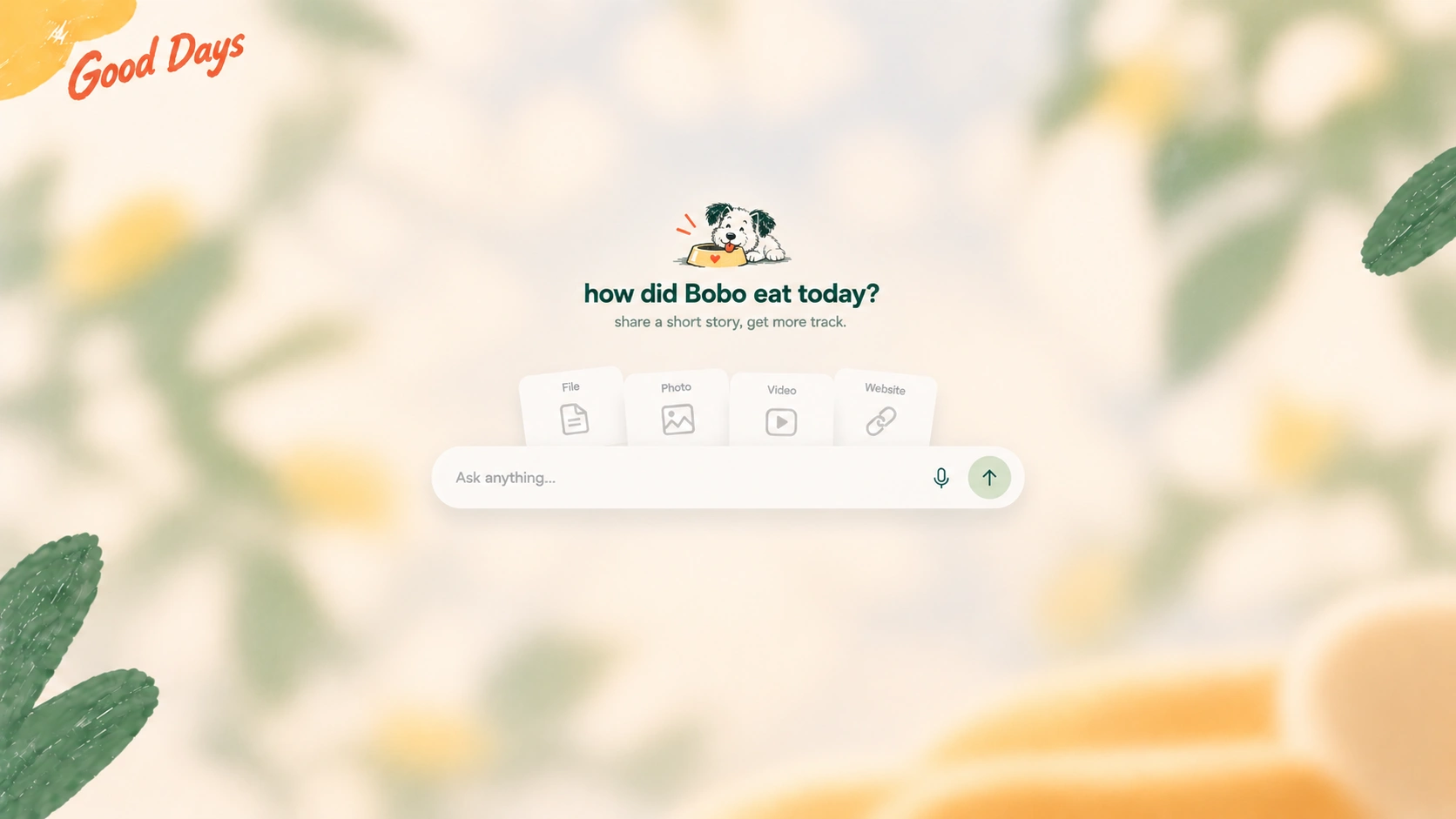
A conversational product concept for urban dog families, designed around everyday care and the moments that call for closer attention.
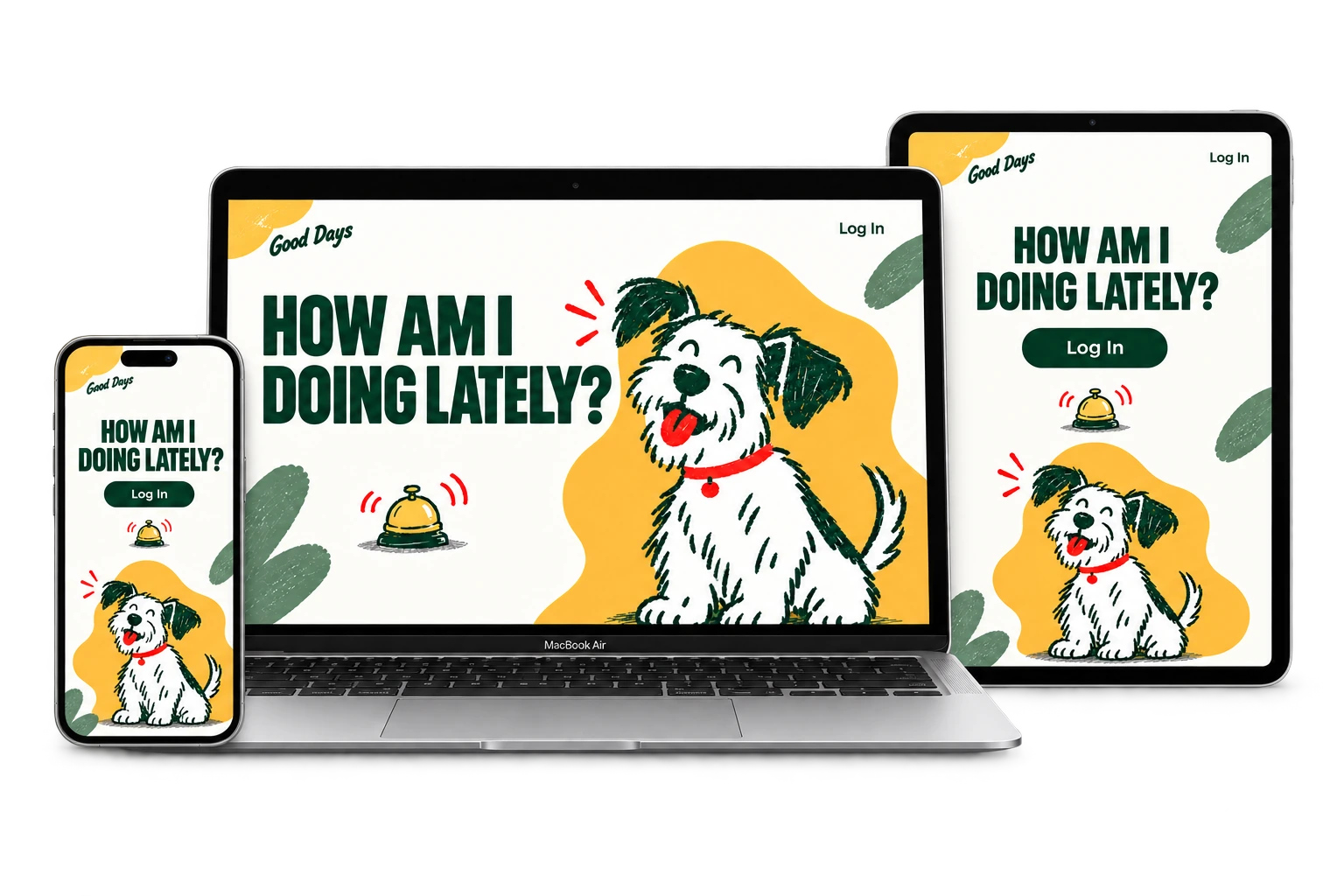
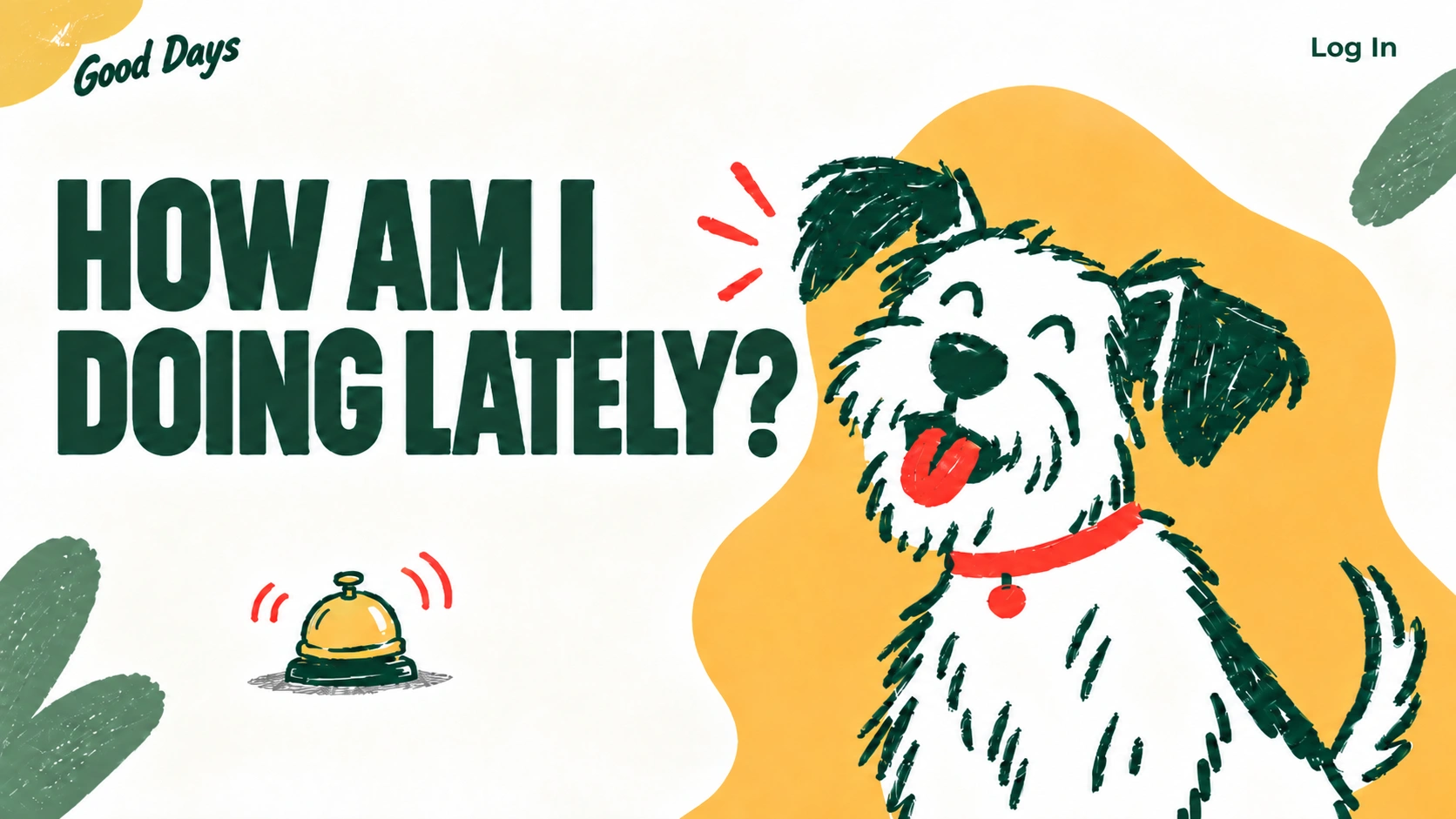
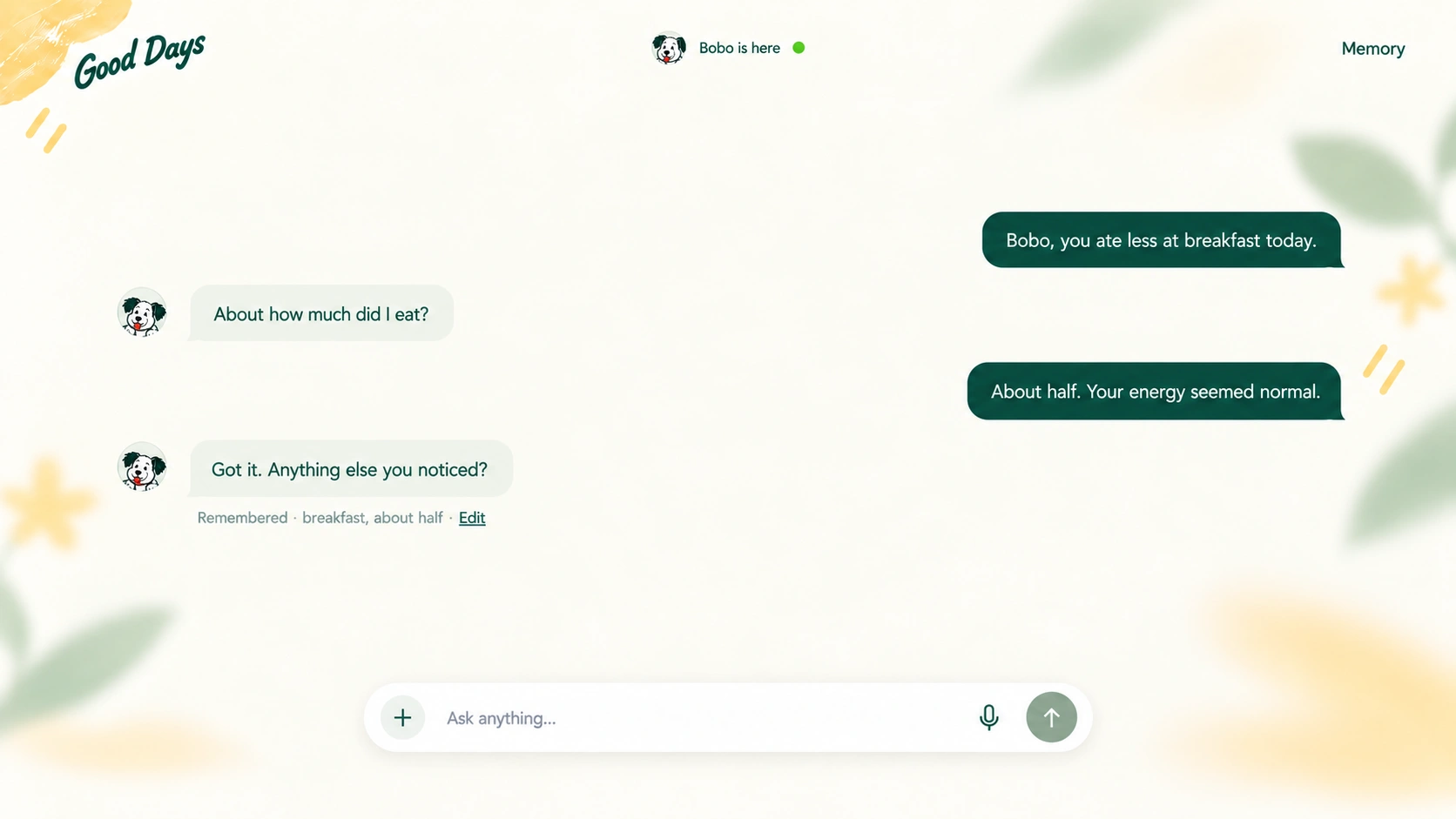
A simple conversation lets owners log meals, activity, symptoms, and meaningful moments without completing a detailed form.
The experience brings care history, recovery check-ins, and veterinary summaries together across desktop, tablet, and mobile.

01 · Design thinking
Daily care is ongoing, but health information often lives in disconnected notes, photos, messages, and reports. When something changes, owners must reconstruct the story from fragments.
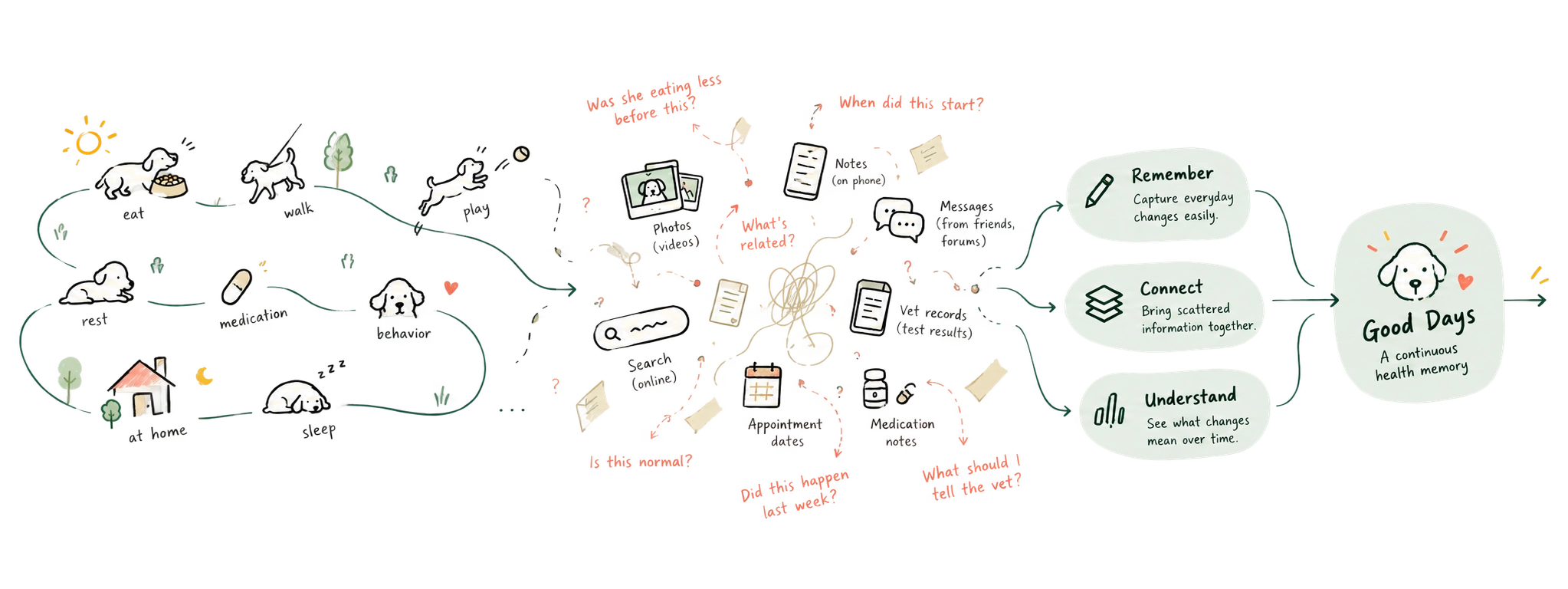
Help owners carry useful context from an ordinary day into the next care decision.
How might an AI companion make ongoing care easier without adding another demanding routine?
03 · Journey map
Follow the owner from noticing a small change to seeking advice and supporting recovery. The journey reveals where observations stop becoming useful context.

Recall becomes difficult at transitions: a new symptom, a vet visit, or a change in treatment. Small observations are easily lost between these moments.
Owners care for their dogs as family. They need low-effort tracking, a view of physical and emotional well-being, and accessible records that help them explain changes to their vet.
02 · User research
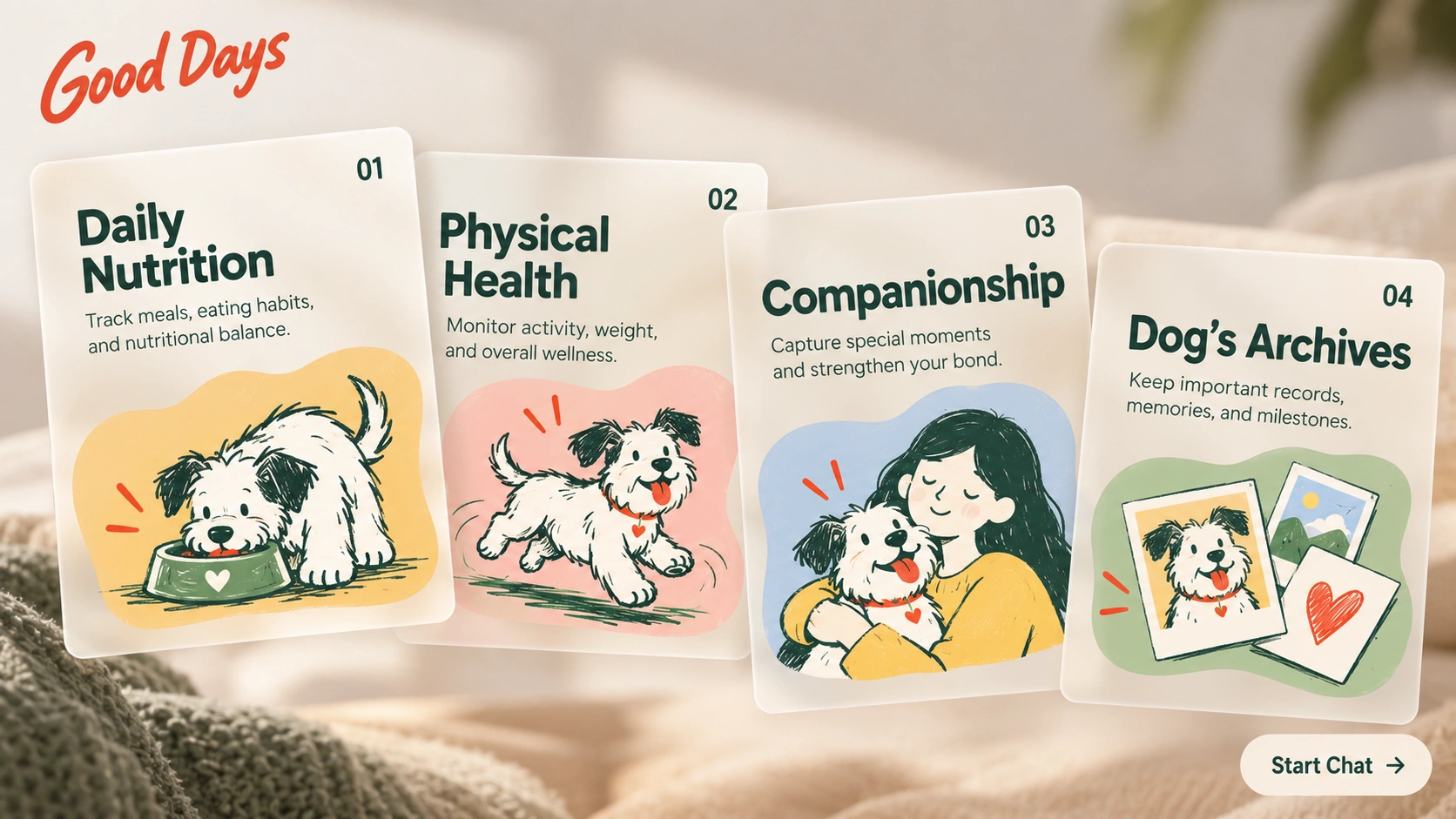
The framework organizes care into four connected dimensions: Daily Nutrition, Physical Health, Companionship, and Dog’s Archives. These categories give each observation a clear place without separating it from the wider story.


Use natural conversation as the entry point. Ask focused follow-up questions only when more context is useful.
Link observations across the four dimensions, show the context behind a summary, and let owners review and correct what is remembered.
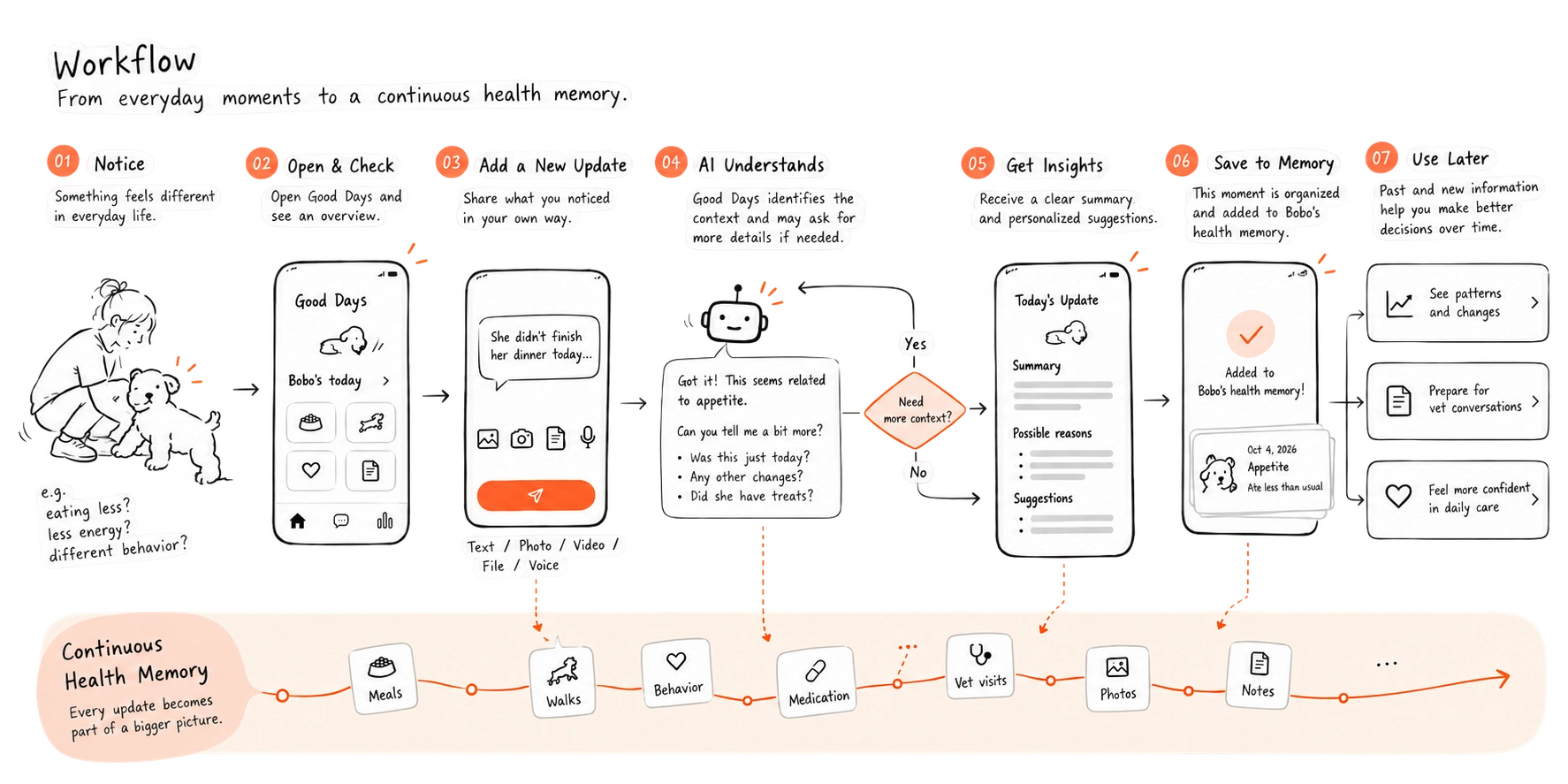
04 · Workflow
The task flow moves from sharing an observation to clarifying its context, reviewing the response, and saving a useful next step or visit summary.
05 · Framework
This layer defines how the conversation and the saved record work together: what is captured, what needs confirmation, and what can be revisited later.
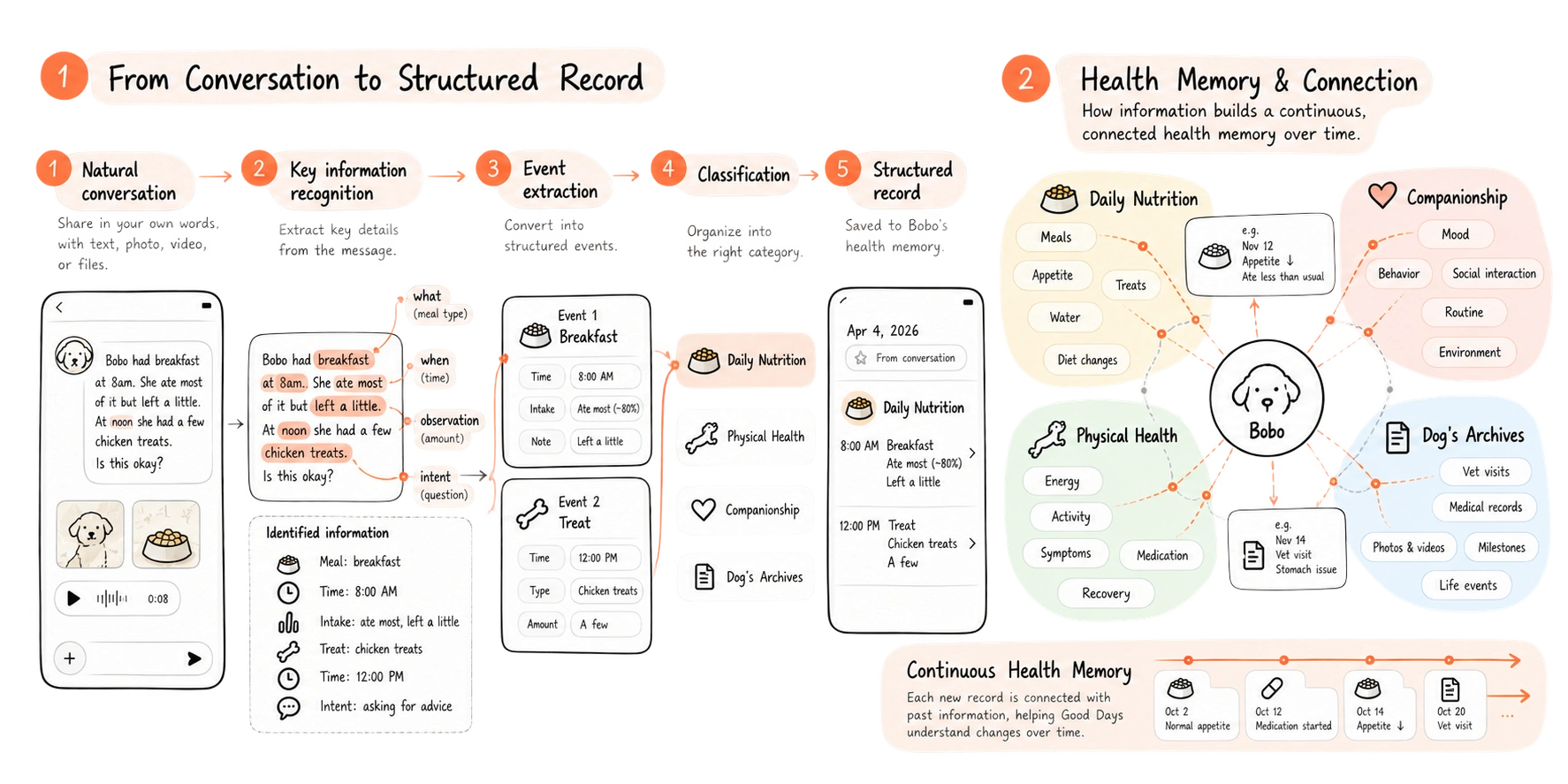
A conversation captures context; the owner confirms important details before they enter the record. Later exchanges can refer back to that history, while summaries separate reported facts from interpretation.
06 · Low-fi to Hi-fi
Low-fidelity work establishes hierarchy and navigation. High-fidelity design refines legibility, tone, and feedback so logging a small observation feels approachable.
Low fidelityStructure
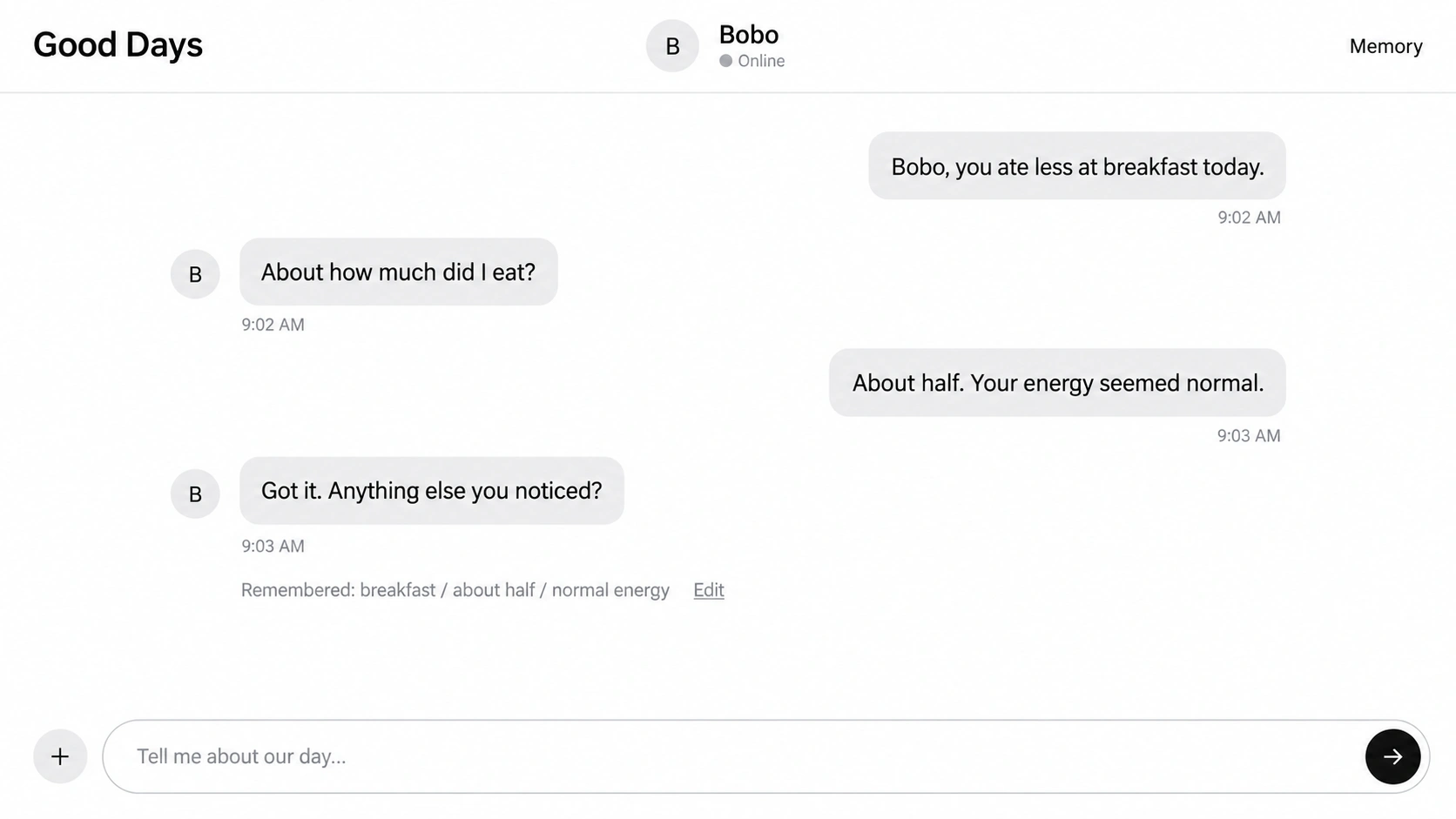
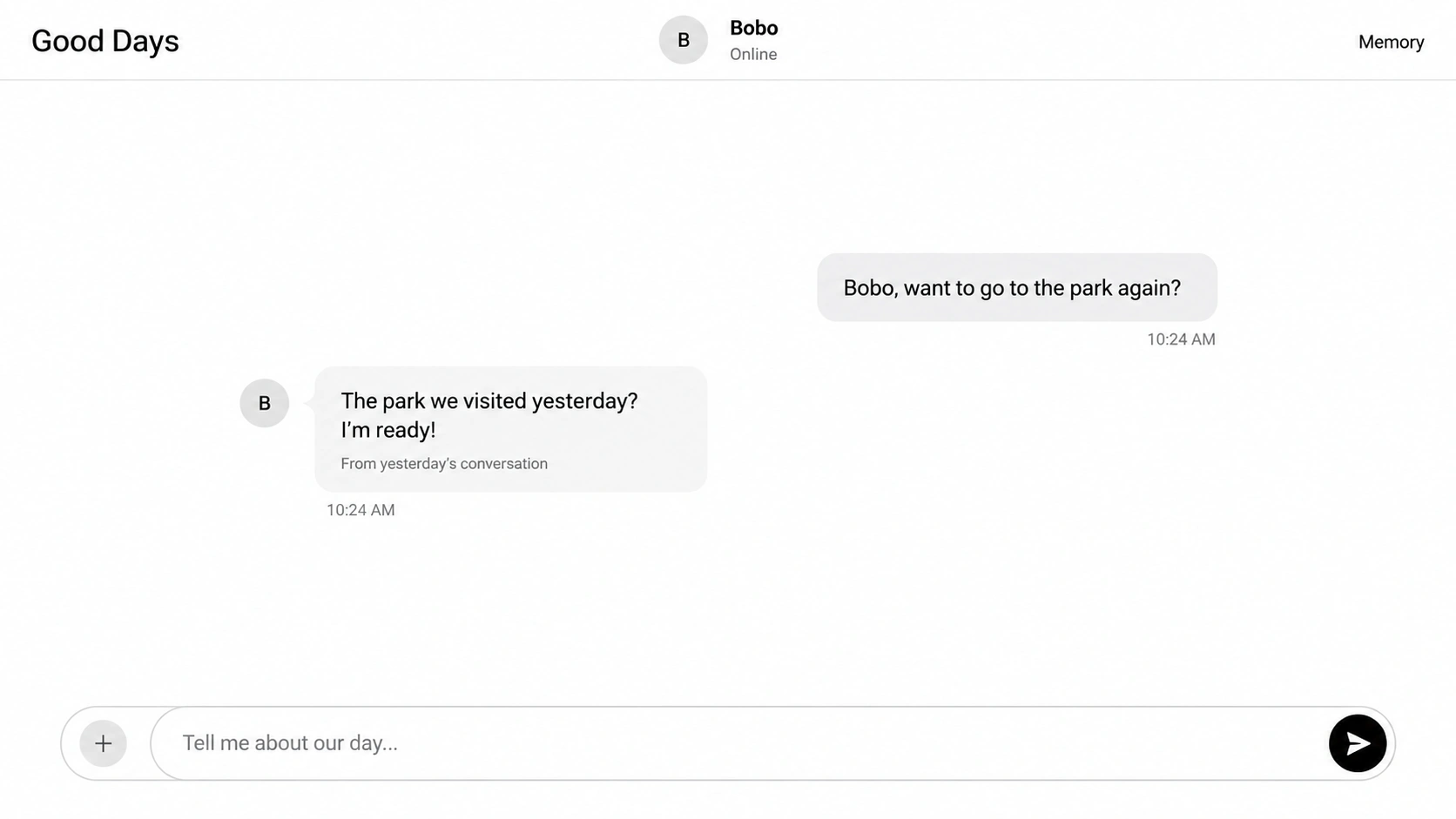

The desktop wireframes keep conversation as the primary experience. As the exchange develops, a secondary panel reveals extracted details, four care dimensions, and a connected timeline while the chat remains available. Owners can review and correct the draft insights.
High fidelityExperience
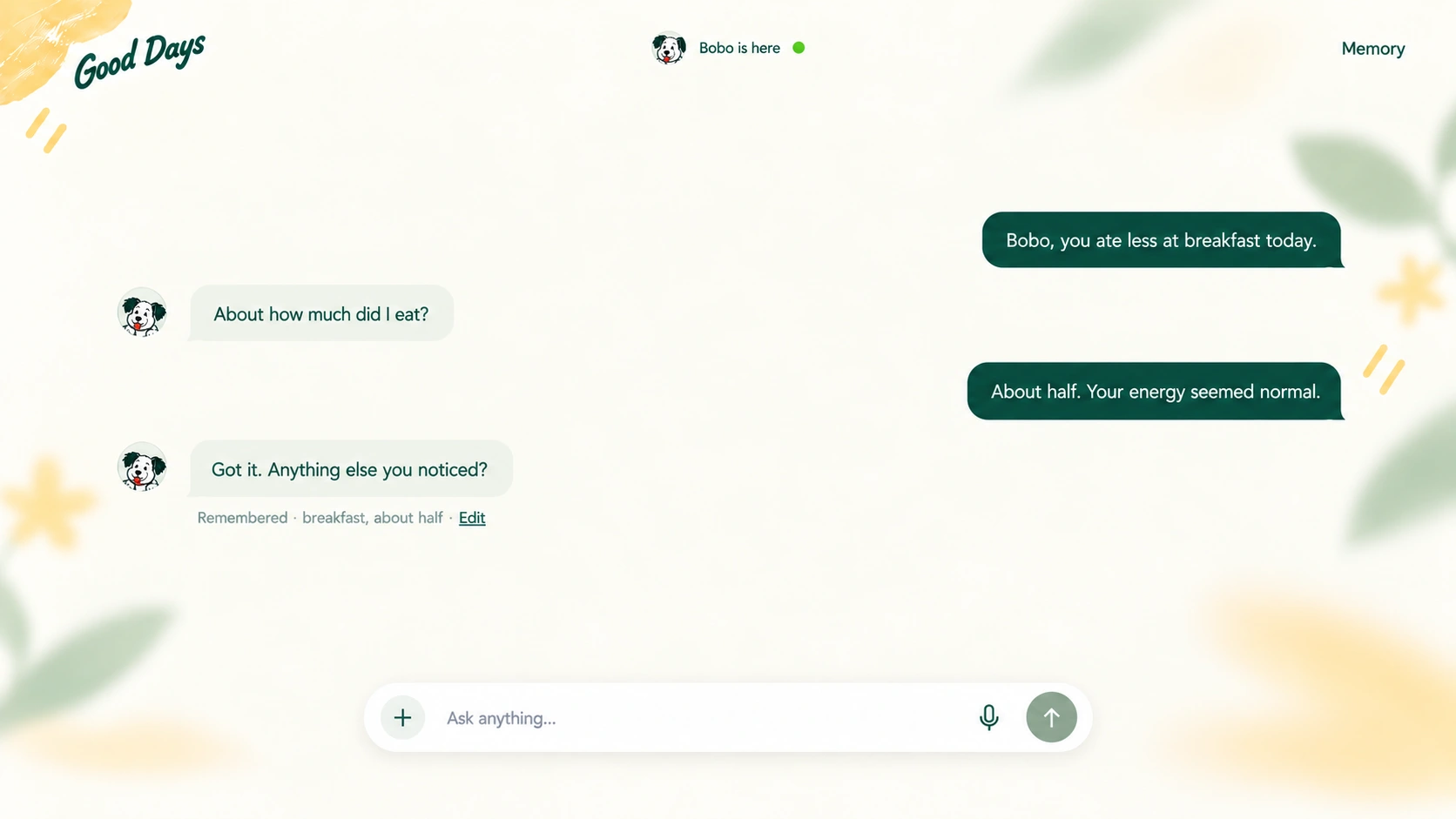
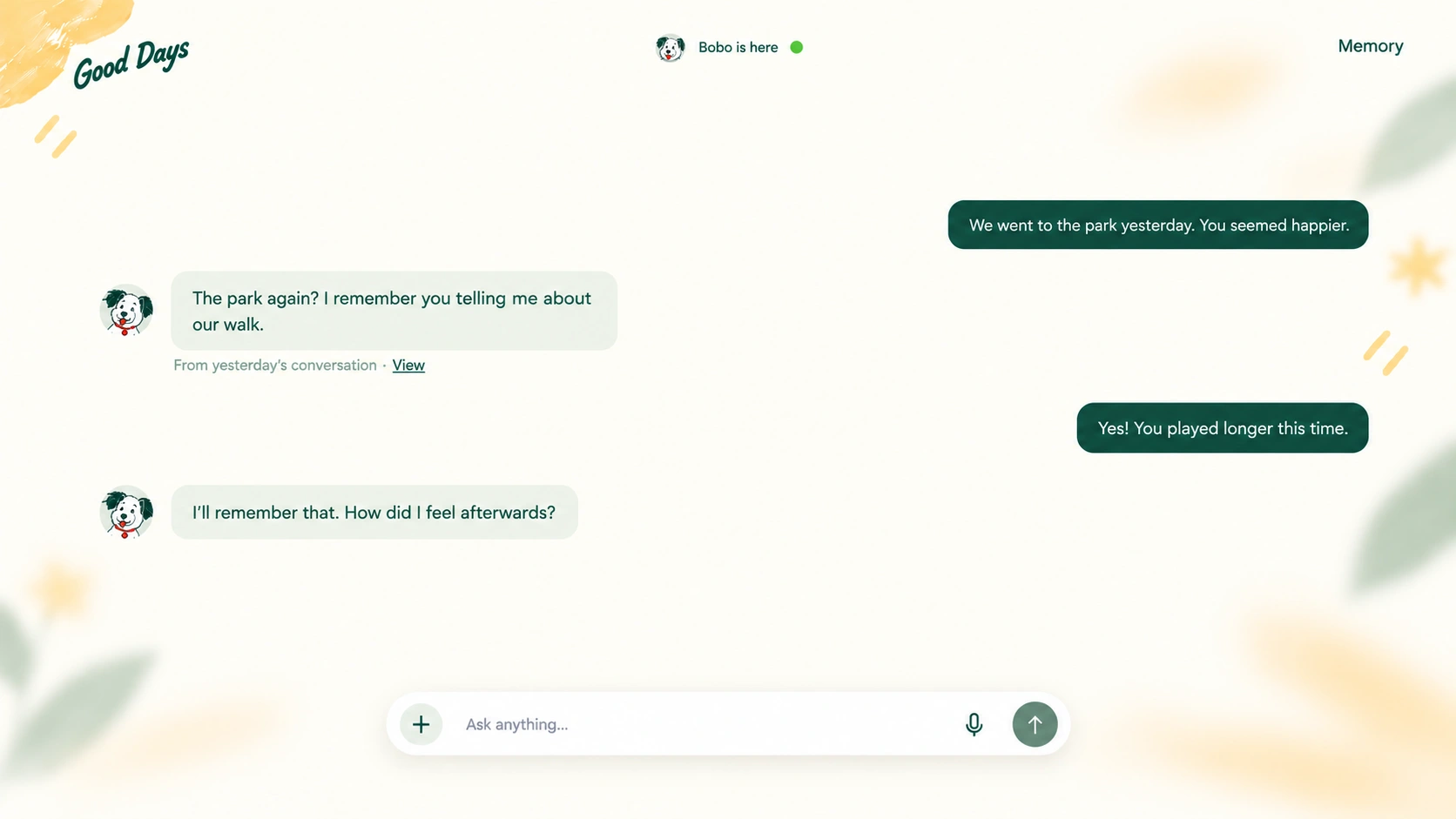
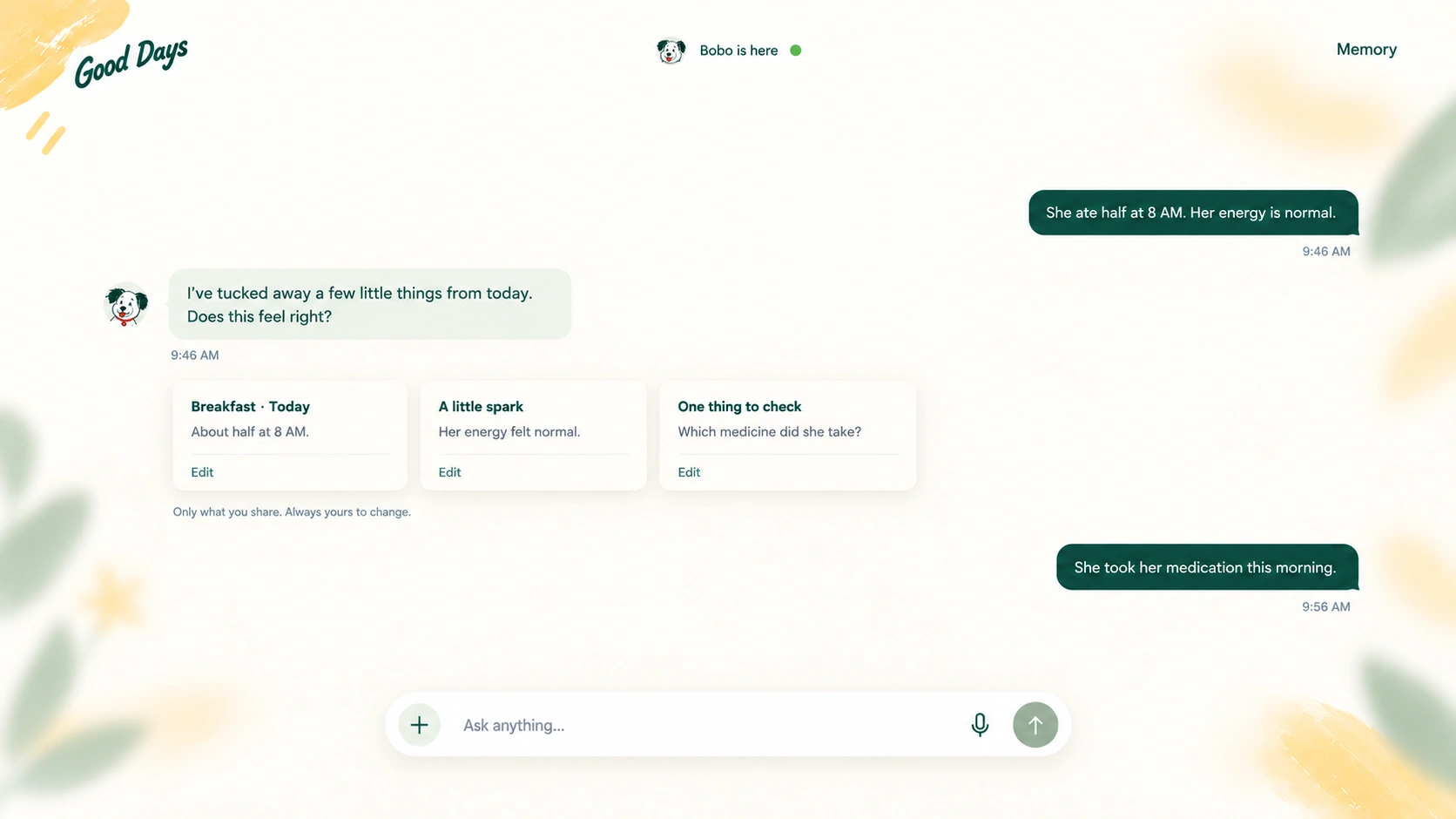
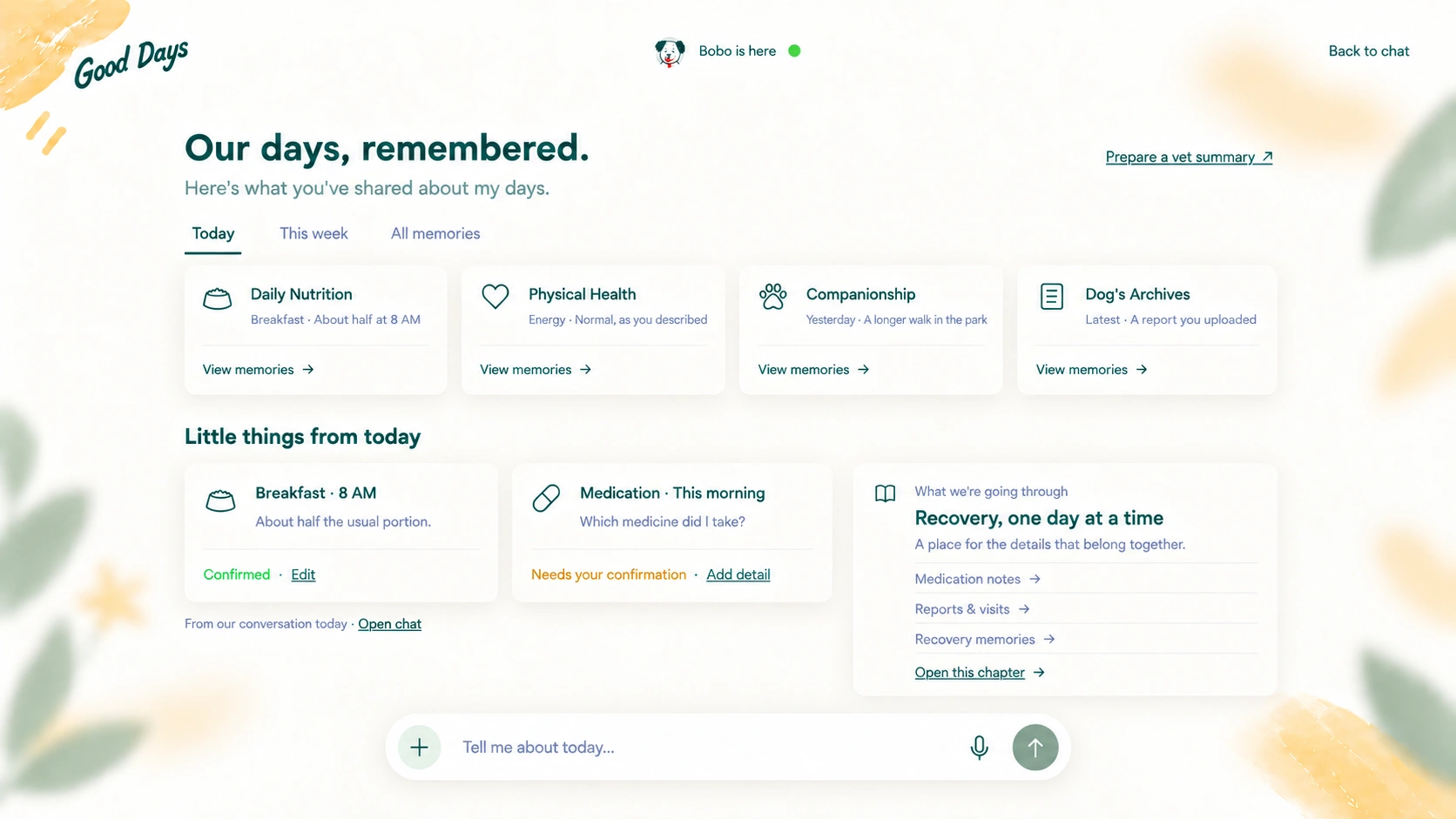
Illustrative stages: conversation becomes reviewed memories, then a connected view of daily care. Timing varies with what the owner shares.
A shared visual language for conversation, memory, and everyday care. Organized through foundations, semantic tokens, components, and interaction states.
Initial specifications for refinement. These are Good Days tokens, not default Material values; generated screens are visual references rather than measured source files.
#173B33Brand, user bubbles and actions · paired with #FFFCF5
#FFFCF5Warm reading surface
#EDF2E9Replies and gentle grouping
#AEBFABSupporting controls and accents
#F8C557Illustration only; dark text on top
#F2674BDog collar and expressive details
#173B33 / #52665DPrimary text / secondary text
#D9E2DBSoft boundaries and separators
Status roles: confirmed #246345; needs detail #765200; error #A93632. Always pair color with a readable label; never use color alone.
A little more understood.
Small moments become a lasting memory.
Helvetica Neue Regular · Helvetica · Arial · sans-serif
Page title 28/36 · section title 20/28 · card title 16/24 · body 16/24 · control label 14/20 · metadata 12/18. Values are font size / line height in px.
Regular 400 for reading; medium 500 for labels; semibold 600 for hierarchy. Keep the supplied handwritten Good Days wordmark as artwork, separate from UI text.
4px8px12px16px24px32px48px64pxDesktop reference 1440 × 810. Conversation uses 84% of the viewport, with 8% side gutters; bubbles remain content-sized, max 480px. On smaller screens use 24px tablet and 16px mobile gutters.
Bubble padding 12 × 16px · card padding 24px · icon-to-label gap 8px · card gap 16px · section gap 48px. Radius: bubble/card 16px; input/button fully rounded.
Composer: max 720px, minimum height 56px. Icons 20px; avatar 28px; send glyph 18px inside a 32px circle and a 44px hit area. Controls use at least 44 × 44px targets.
Use the same white dog, dark-green ears and carrot collar throughout. The handwritten wordmark and soft edge foliage express warmth; keep illustrations away from reading and control areas.
Functional icons: 24 × 24 viewBox, rendered at 20px, 1.75px rounded strokes, consistent optical weight. Decorative illustrations have no interaction role; icon-only controls require accessible names.
User: right aligned, primary / on-primary. Agent: left aligned, agent surface / primary. No user avatar; one consistent dog avatar for the agent.
About half at 8 AM.
Memory card: observation, time, confirmation state and edit action. Keep unknown details pending; link back to the original conversation.
Composer: Enter sends; Shift + Enter adds a line. Empty input disables sending. Attachments have preview and removal; voice input shows an explicit recording state and stop control. This specimen demonstrates styling, not live AI or recording.
Hover: an 8% dark state layer and gentle shadow change. Pressed: a 12% layer and 1px inset motion; release restores the surface. Click performs one action; prevent duplicate requests while loading.
Keyboard focus: a visible 2px primary ring with 3px offset. Selected tabs retain an underline and aria-selected state. Disabled controls use muted color, no hover response and a clear reason nearby.
Loading preserves control width and labels the pending action. Success gives inline confirmation; failure keeps entered content and offers retry. Destructive record removal requires confirmation and provides undo.
Motion: 150ms for hover/press, 200ms for card reveal; ease-out. Respect reduced-motion preferences. Keep health content legible and expose all actions through keyboard input.
Organization reference: Material Web tokens · Interaction state layers
Reframing the problem
Meals, symptoms, photographs, messages, and reports accumulate across different places. When something changes, owners have to reconstruct the story instead of continuing from a reliable history.
Let owners speak naturally instead of interrupting care to complete a medical-style form.
Connect an observation with routines, previous changes, treatment, and meaningful life events.
Anything remembered by the Agent must remain visible, reviewable, editable, and removable.
Understanding care context
The owner journey shows where small observations stop becoming useful context: between everyday care, noticing a change, and deciding what to do next.
Food, activity, mood, medication, and small life events matter, but rarely feel important enough to document in the moment.
Owners notice that something is off, yet timing, frequency, and surrounding circumstances are difficult to recall precisely.
At a vet visit or during recovery, fragmented memories have to become a coherent account under pressure.
Designing the conversation
The Agent treats conversation as the primary experience. It recognizes an observation, checks only the missing context that matters, responds within its evidence, and asks before saving anything.
Identify the observation and preserve the owner’s original wording.
Ask one focused question when time, frequency, or severity is missing.
Relate the moment to confirmed routines, prior events, or recovery context.
Separate what was reported from what the Agent is interpreting.
Show a draft memory and let the owner approve or correct it.
Building long-term memory
Good Days keeps the warmth and context of conversation while introducing a clear checkpoint before information enters the dog’s long-term record.
Retains the user’s language, tone, and surrounding context.
Extracts time, behavior, symptoms, food, medication, or life events.
Keeps uncertain details pending until the owner confirms them.
Links confirmed moments across time without erasing their source.
From memory to care
The four care dimensions organize information in the background. Owners experience them as clearer patterns, more continuous recovery support, and better prepared conversations with professionals.
Place appetite, activity, mood, and symptoms in a shared timeline instead of treating each moment alone.
Keep medication, food, behavior, and follow-up observations connected through recovery.
Create a concise, owner-reviewed summary while preserving access to the original conversation.
AI behavior & boundaries
The Agent is designed as a care-memory and communication layer. Its usefulness depends on making uncertainty visible and knowing when a professional decision sits outside its role.
Prototype & evaluation
A fixed scenario set will test the product behavior before claiming performance: ambiguous observations, changed preferences, long-term context, urgent symptoms, record correction, and requests for diagnosis.
Each response will be reviewed against the same criteria so failures can become reusable behavior rules rather than one-off wording fixes.
Planned evaluation framework — results will be added only after the same scenarios have been run and reviewed.
Product design · UX/UI · Environmental information
In tune with your surroundings.
A context-aware platform helping sensitive urban residents understand and respond to plant-related environmental exposure.
Aera brings local plant conditions, timing, and practical guidance into one calm mobile experience. Instead of asking people to interpret pollen charts or identify species, it explains what may be happening nearby, when conditions may ease, and how to adjust an activity with less uncertainty.
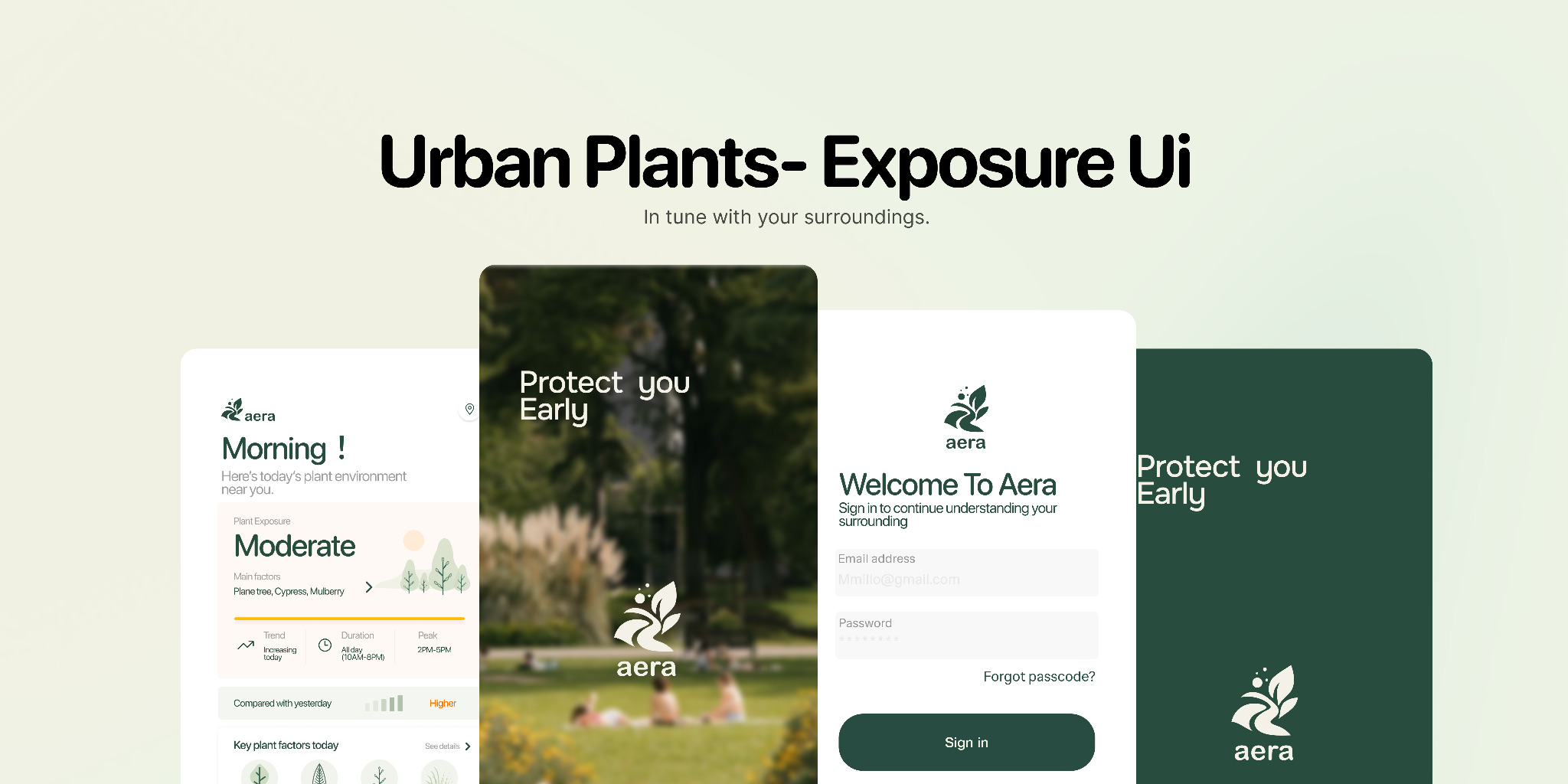
See the current exposure level, the plants contributing to it, and whether conditions are increasing or easing.
Compare time, duration, and location before deciding when and where to go.
Receive proportionate suggestions while keeping medical diagnosis outside the product.
For sensitive urban residents, discomfort is often real before its cause is clear. Existing information is fragmented across weather, pollen, air quality, maps, and personal memory. The challenge was not adding another data dashboard, but helping someone understand a changing situation quickly enough to make a useful decision.
participants did not proactively check environmental exposure before going outside.
was the familiar entry point, even when weather alone could not explain the experience.
was the most frequently prioritized quality when people evaluated environmental guidance.
Research shifted the concept away from predicting symptoms or naming a medical condition. The product focuses on environmental interpretation: what is changing nearby, how long it may last, and which everyday adjustments remain realistic.
Show the environmental reason behind a suggestion so guidance feels grounded rather than generic.
Support planning and in-progress decisions instead of requiring people to build a daily checking habit.
Offer options with clear trade-offs; the user decides whether a change is worth the time and effort.
“I can feel something is wrong before I know what is in the air. By the time I search, I’m already outside.”
“Weather tells me if it will rain, but not which plants are active along my route.”
“Pollen, weather, and maps are all separate. I’m never sure which source I should trust.”
“I would change my route for five minutes—not fifteen—unless I knew the exposure was actually high.”
“I don’t need an app to diagnose me. I need to understand what may be happening nearby and how long it could last.”
Aera is designed primarily for sensitive urban residents who experience recurring discomfort but cannot easily connect it to a place, plant, or moment in time. The product supports decisions before, during, and after an outdoor activity without asking people to interpret environmental datasets themselves.
Compare nearby conditions, time windows, route options, and the effort required to make a change.
Reopen the active session to understand nearby plant factors, current intensity, likely duration, and lower-exposure options.
Save the environmental context and a brief personal check-in so useful patterns can emerge over time without implying causation.
The sitemap organizes the product around five stable destinations—Today, Plan, During Activity, Records, and Me—while preserving a continuous path from understanding current conditions to planning, receiving in-context support, and reflecting afterward.
Current conditions and quick insight
Set up an activity and get options
Real-time support while outside
Recheck, history, and patterns
Profile, preferences, and control
The information framework combines regional measurements with local plant context, seasonal timing, weather, and the user's current activity. The interface progressively reveals only what supports the next decision.
Pollen, air, weather, season
Plant species, place, time
Level, trend, duration
Route, timing, protection
The visual system uses a restrained green palette, soft environmental imagery, and progressive disclosure. The primary screen gives one legible condition summary; deeper views reveal maps, plant factors, timing, and planning tools only when needed.
The home screen leads with a readable level and trend instead of competing charts.
Plant factors and time windows sit beside recommendations, making the reasoning inspectable.
Users can leave and return during an activity without rebuilding the environmental context.
Low-fi exploration
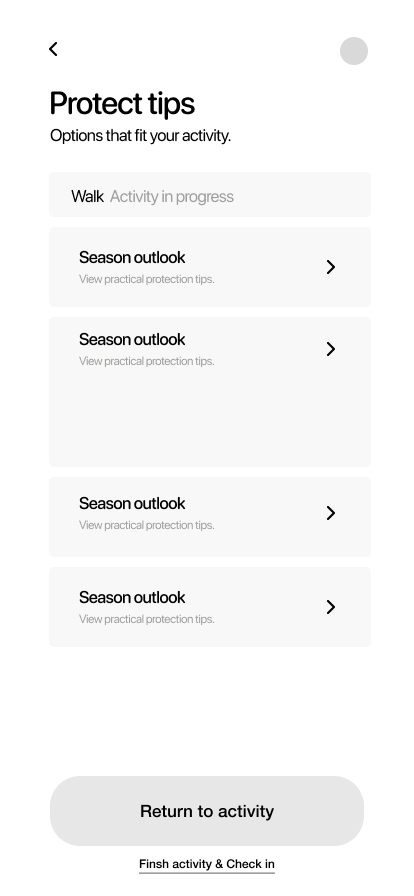
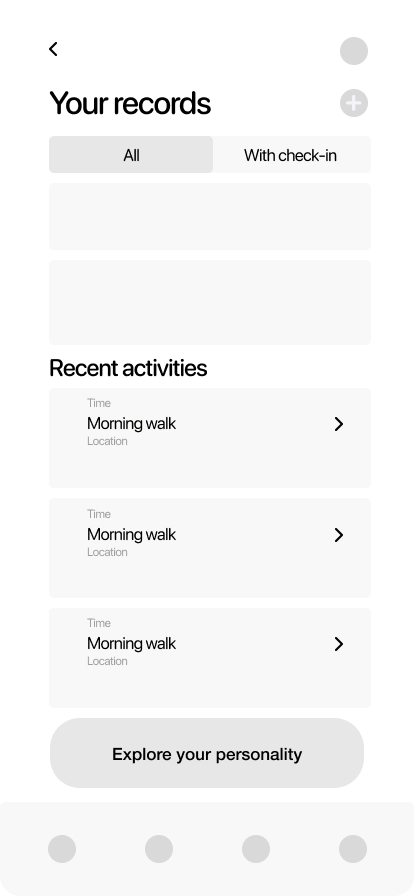
The first wireframes tested whether a user could understand the current condition, make a plan, and return to an active session without learning a complex environmental dashboard.
A short promise introduces Aera before sign-in. The entry flow keeps the first decision simple: begin, continue with an account, or create one.
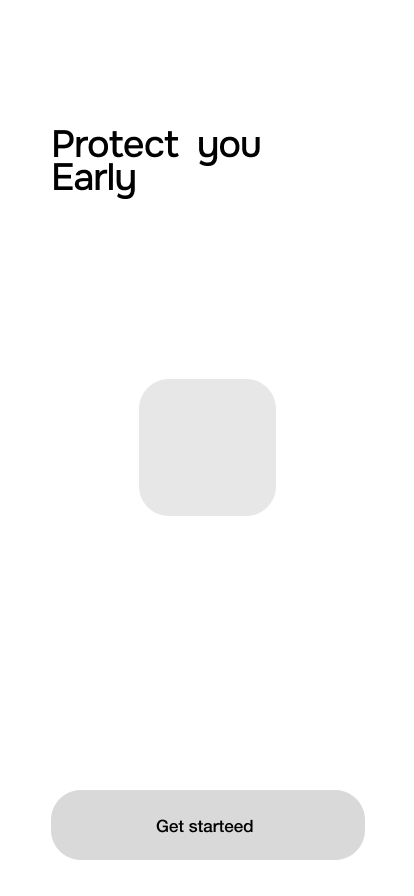
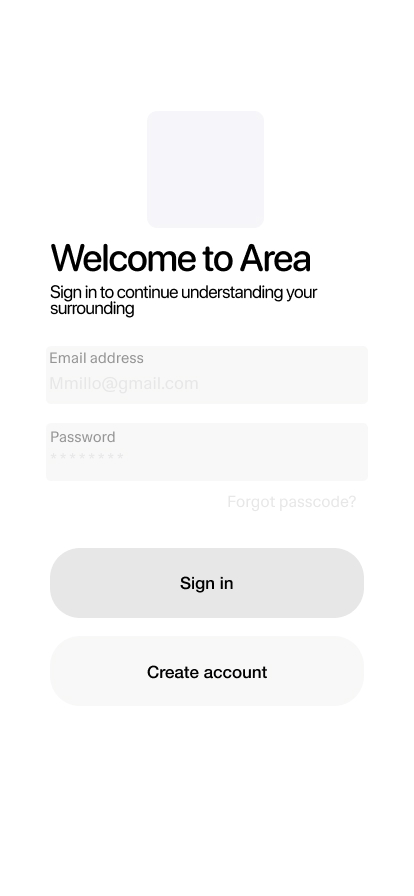
The home screen turns current environmental conditions into one readable status and one clear next action, without asking users to interpret a dashboard.
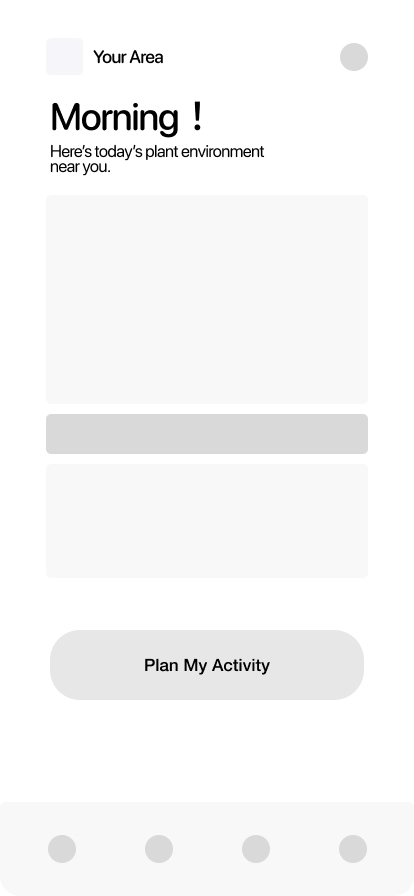
The planning flow asks only for the context that changes a recommendation—place, time, route, and flexibility—then lets users compare options and confirm a practical plan.
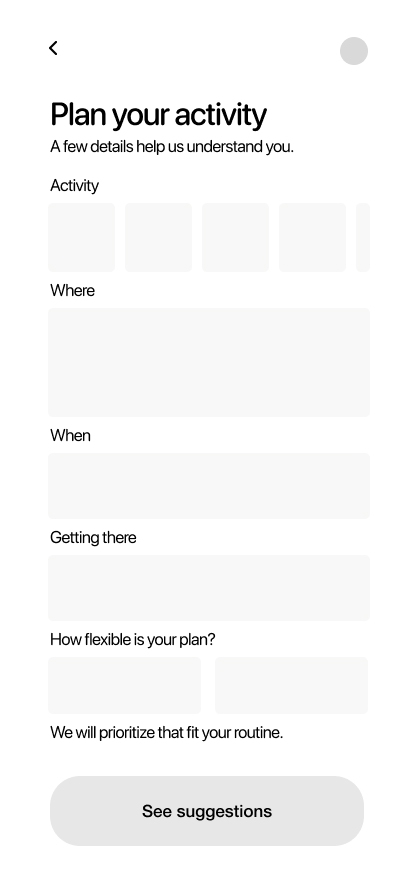
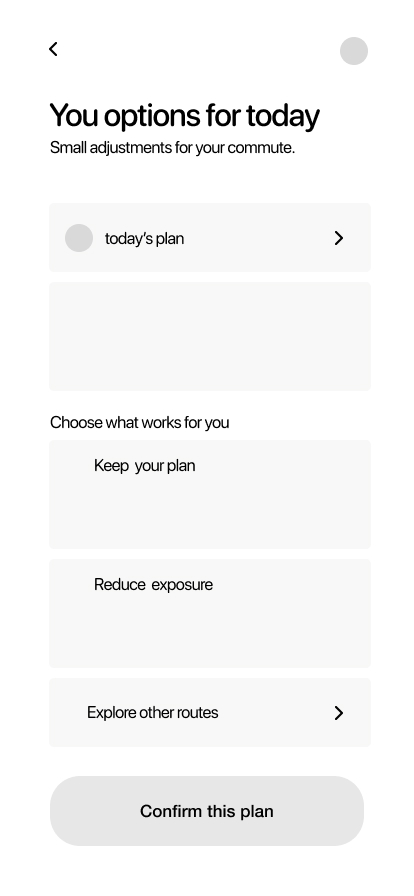
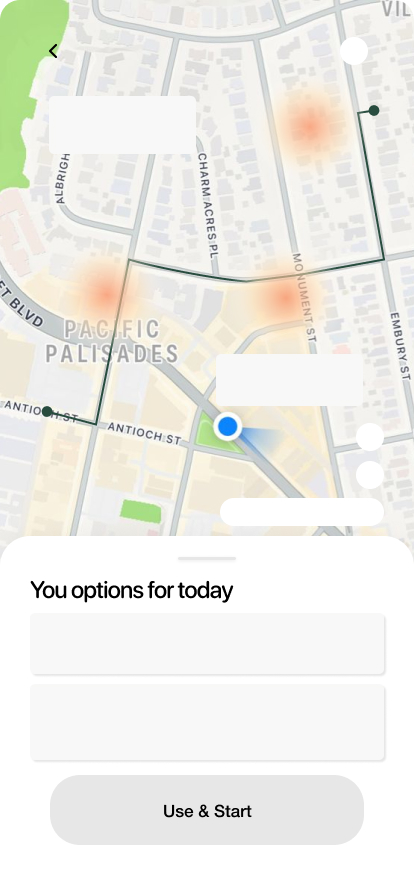
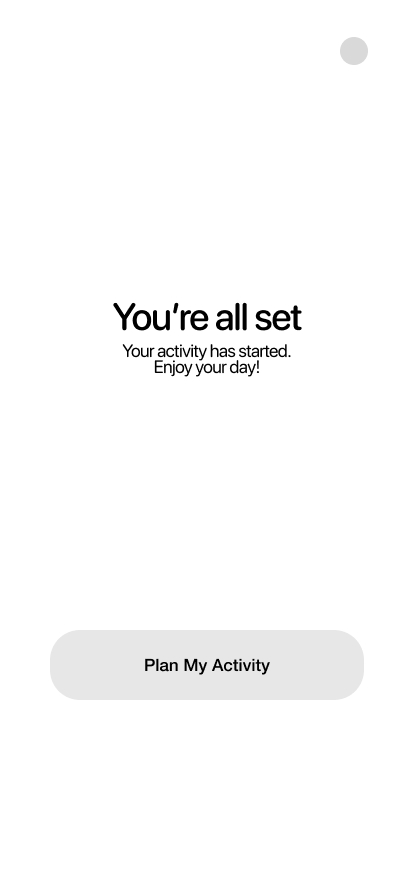
When users return during an activity, Aera preserves the active context. Nearby sources, expected duration, protective guidance, and the session record stay connected instead of restarting the journey.
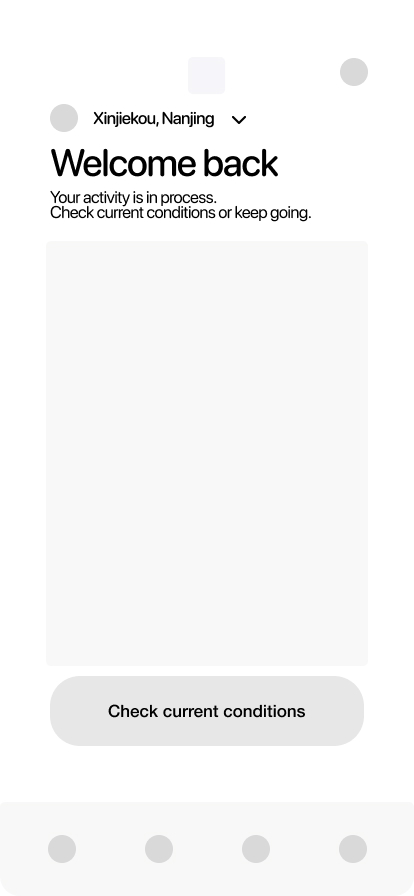
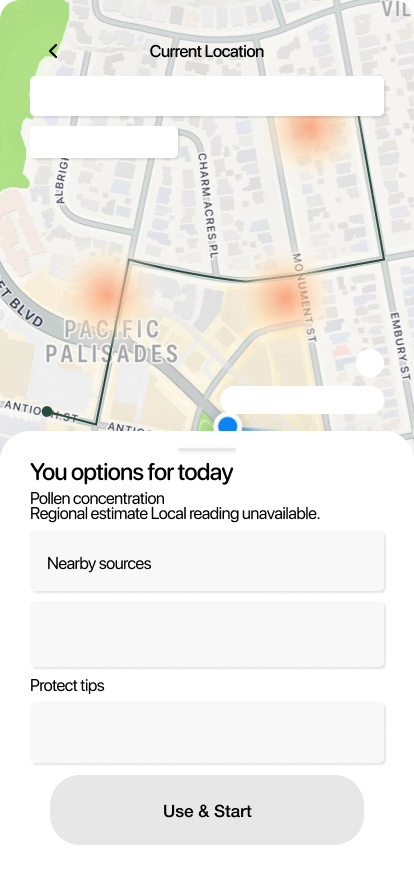
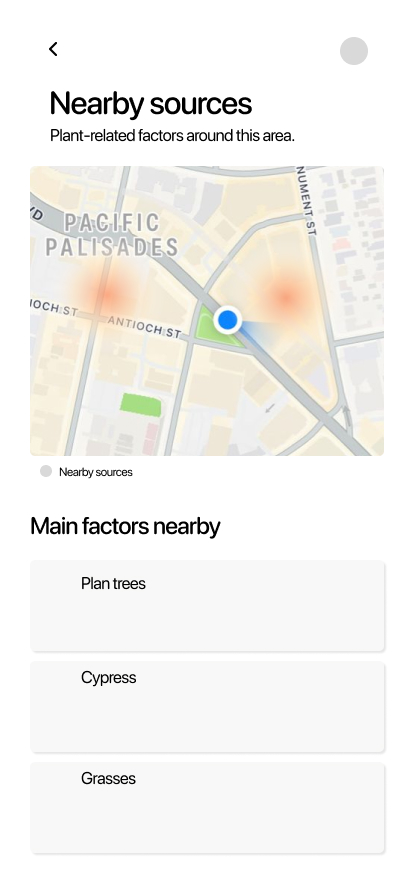
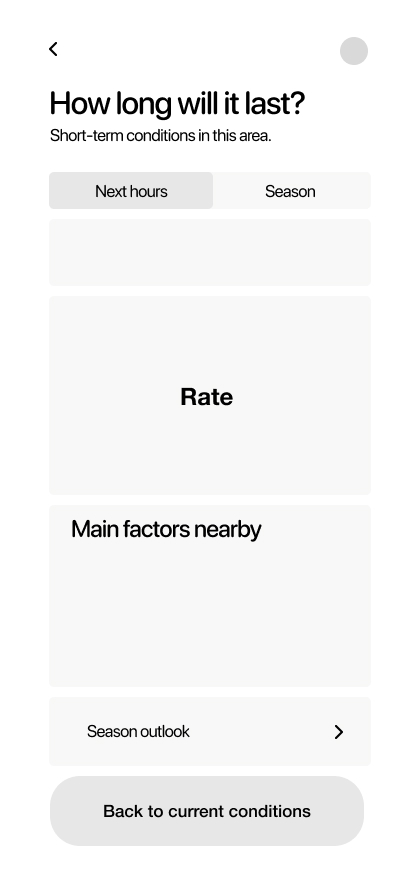
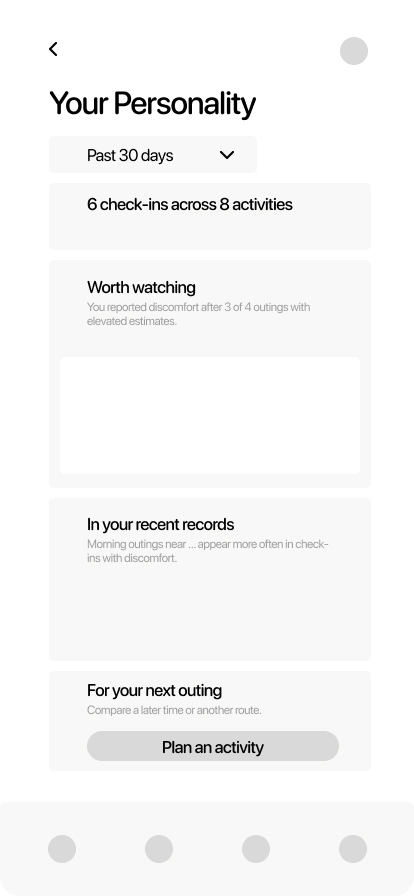
Repeated check-ins become an understandable personal pattern. Users can review what Aera noticed, connect it to recent activity, and use that context when planning again.
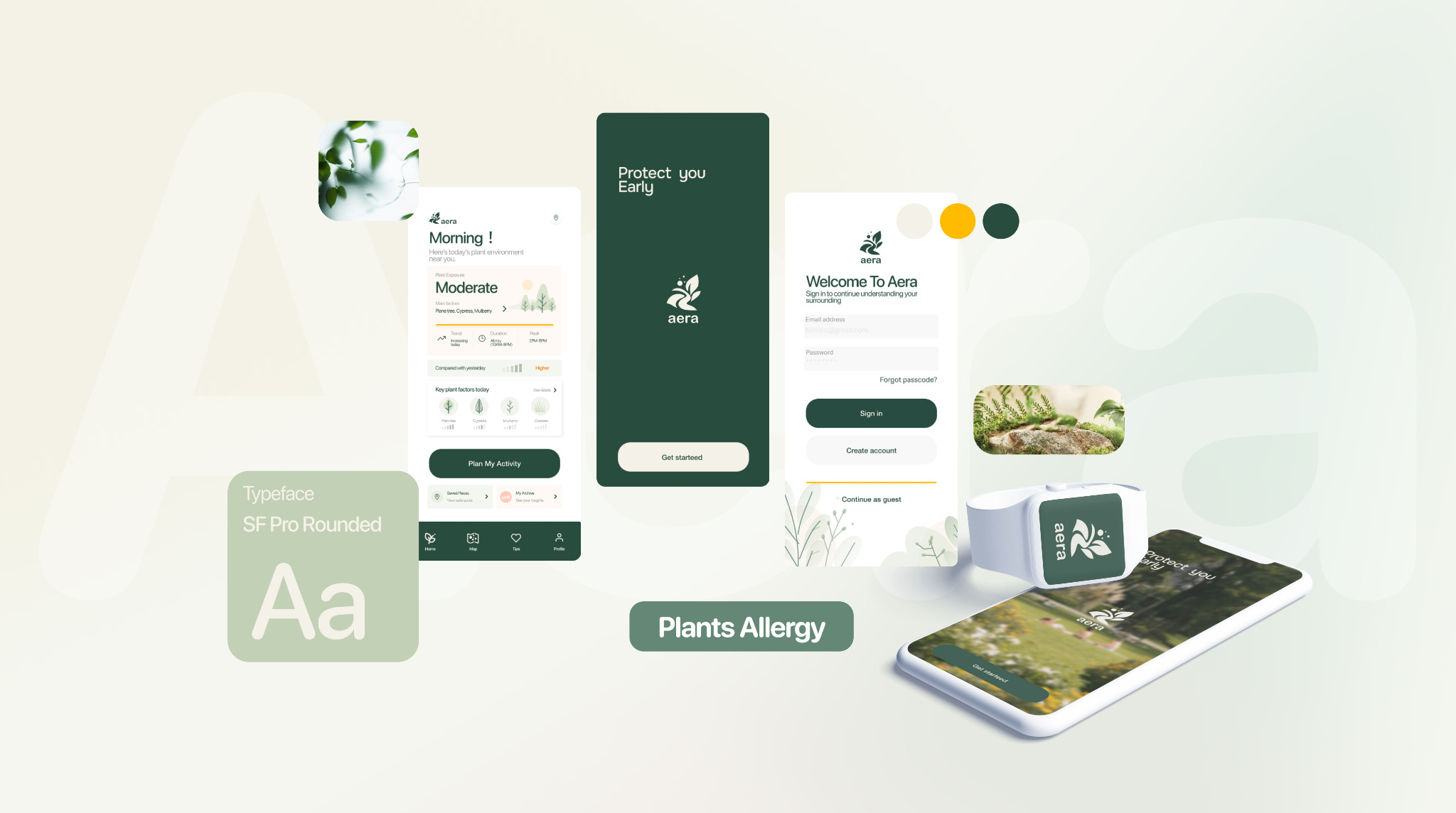
The high-fidelity system translates the wireframe hierarchy into a softer environmental experience. Rounded typography, restrained color, and generous spacing keep the interface approachable while evidence and timing remain easy to inspect.
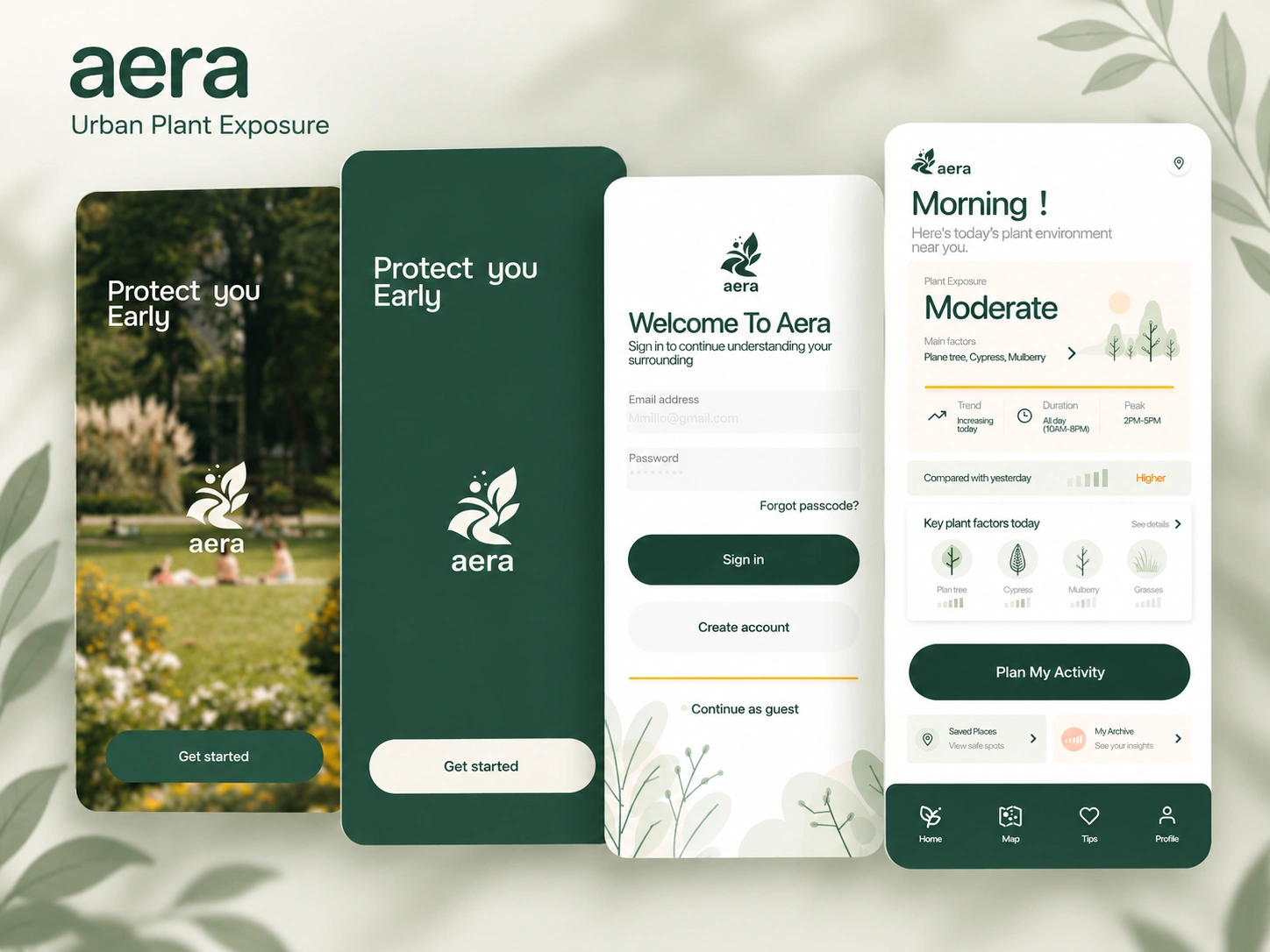
Condition, trend, and duration appear before supporting detail.
Plant factors and timing stay close to the guidance they support.
The same visual language carries the user from planning into an active session.
The identity balances environmental credibility with an everyday, non-clinical tone. Its system is built from a compact logo, a calm natural palette, rounded typography, and shape rules that remain legible at mobile scale.

SF Pro Rounded
Rounded terminals soften technical information without reducing clarity. The interface uses 8, 16, and fully rounded radii to distinguish information, cards, and primary actions.
The next round would test whether people can distinguish exposure information from medical advice, understand why a recommendation appears, and decide on a route or timing change without feeling pushed into unnecessary avoidance.
A real-time terrain system connecting Unity to a physical servo array.
Project story coming next.
A learning experience designed to support musical growth across different ages.
Project story coming next.